Reviews
Sus gráficos añaden un toque agradable a mis presentaciones y recientemente los usé para una de mis reuniones generales. Su conjunto de herramientas añade profesionalismo a mis diapositivas. En lugar de usar imágenes prediseñadas estándar.
Necesitaba un aspecto fresco para algunas de mis diapositivas. Había intentado encontrar una forma de crear un efecto de pincel, de subrayar, acentuar, añadir algo de color y los marcadores escritos a mano fueron justo lo que necesitaba. Muy fácil de usar, fácil de ajustar el tamaño, cambiar el color. Fue una solución asequible y perfecta, y estoy feliz de recomendarla.
El aspecto nítido y limpio de los gráficos, y el hecho de que me permitiera editar y cambiar fácilmente los colores para que coincidieran con la plantilla fue mi principal razón para comprarlos.
Description
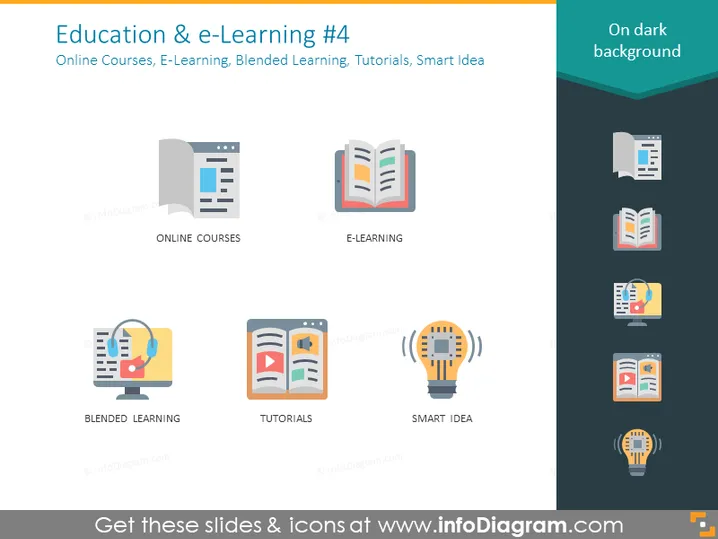
Education & e-Learning #4
Slide Content
The slide titled "Education & e-Learning #4" covers various aspects of digital learning. It showcases icons representing "Online Courses," which are courses available via the internet, "E-Learning," referring to learning conducted electronically, "Blended Learning," a mix of traditional face-to-face and online instruction, "Tutorials," which are detailed instructions in a particular field, and "Smart Idea," probably signifying innovative approaches in educational technology.
Graphical Look
- The slide background is a dark color.
- The title "Education & e-Learning #4" is placed at the top in large, white font.
- A subtitle below the main title provides additional context in smaller white text.
- The slide is divided into two main columns.
- The left column has icons with text labels beneath each.
- A webpage icon labeled "ONLINE COURSES."
- A desktop with a hand and a headset icon labeled "BLENDED LEARNING."
- The right column, slightly indented, also has icons with text labels.
- A book icon representing "E-LEARNING."
- A play button on a document icon for "TUTORIALS."
- A lightbulb with gears inside symbolizing "SMART IDEA."
- Each icon features a mix of muted color tones with simple, flat designs and a slight shadow for depth.
The overall look of the slide is sleek and modern, with a professional appearance. The use of icons and labels provides a quick visual reference for the topics covered.
Use Cases
- To introduce the various components of online education in a training or workshop.
- In a presentation to educators or instructional designers outlining strategies for engaging learners.
- For pitching an e-learning solution to potential investors or clients.
- At education conferences or webinars to discuss trends and innovations in digital learning.
How to Edit
How to edit text & colors

How to expand / shorten diagram

How to Replace Icons in infoDiagram PPT


