Reviews
Sus gráficos añaden un toque agradable a mis presentaciones y recientemente los usé para una de mis reuniones generales. Su conjunto de herramientas añade profesionalismo a mis diapositivas. En lugar de usar imágenes prediseñadas estándar.
Necesitaba un aspecto fresco para algunas de mis diapositivas. Había intentado encontrar una forma de crear un efecto de pincel, de subrayar, acentuar, añadir algo de color y los marcadores escritos a mano fueron justo lo que necesitaba. Muy fácil de usar, fácil de ajustar el tamaño, cambiar el color. Fue una solución asequible y perfecta, y estoy feliz de recomendarla.
El aspecto nítido y limpio de los gráficos, y el hecho de que me permitiera editar y cambiar fácilmente los colores para que coincidieran con la plantilla fue mi principal razón para comprarlos.
Description
E-learning
Slide Content
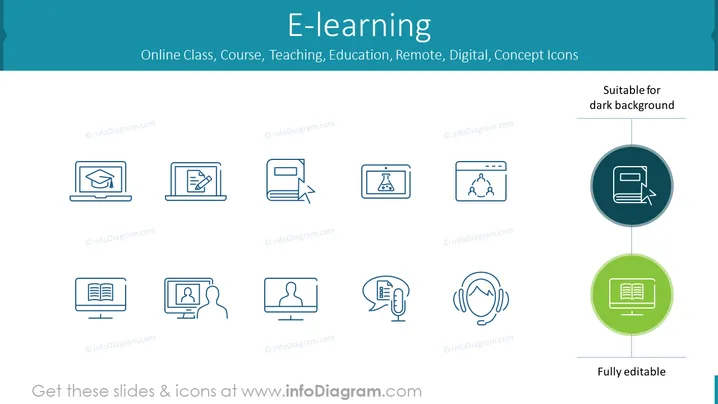
The PowerPoint slide is titled 'E-learning' and serves as an icon set for themes such as online classes, courses, teaching, education, remote learning, digital environments, and concept visualization. The icons represent different aspects of e-learning, including online graduation, writing or submitting assignments electronically, scientific experimentation, group collaboration, e-books, personal tutoring, automated testing, and dedicated audio resources for learning.
Graphical Look
- The slide background is a gradient of light to darker shades of blue at the top and bottom.
- At the top, the slide title "E-learning" is centered in a large, bold, white font.
- Below the title, a subtitle in smaller white font lists related keywords, providing context for the icon set.
- A total of 10 icons are arranged in two rows of five across the slide. Each icon is within a white-bordered box with rounded corners, suggesting it's a clickable element.
- The icons are monochromatic, featuring various elements associated with e-learning, styled in a simple and modern line art.
- On the right side, a circular callout contains one icon highlighted in a darker circle, signifying its importance or that it's a featured element. Below it, another icon is highlighted in a green circle with text "Fully editable" at the bottom, indicating that the slide elements can be customized.
- Each icon represents a component of online learning: graduation cap on a laptop, document exchange, chemistry, group network, e-reader, personal video call, test paper with feedback, and headphones indicating audio learning tools.
The slide presents a clean and professional design, utilizing a consistent color theme and simple iconography to convey the concept of e-learning effectively. The icons are spaced evenly, which, together with the consistent style, creates a harmonious visual effect.
Use Cases
- To introduce the topic of e-learning in an educational institution's presentation.
- In corporate training sessions to showcase different ways employees can engage in continuous learning online.
- During a conference or webinar about digital transformation in education to illustrate the various components of e-learning.
- As a navigational slide in online course material, where each icon could link to a different section or module of the course.
How to Edit
How to edit text & colors

How to expand / shorten diagram

How to Replace Icons in infoDiagram PPT


