Reviews
Your graphics add a nice touch to my presentations and I recently used them for one of my all-hands meetings. Your toolbox adds professionalism to my slides. Instead of using standard clipart.
I needed a fresh look at some of my slides. I've tried to find a way to create a paintbrush effect, to underline, accentuate, add some color and the handwritten markers were just the things. Very easy to use, easy to size, change the color. It was an affordable, perfect solution and I'm happy to recommend it.
The crisp, clean look of the graphics, and the fact that it allowed me to easily edit and change the colors to match the template was my main reason for purchasing them.
Description
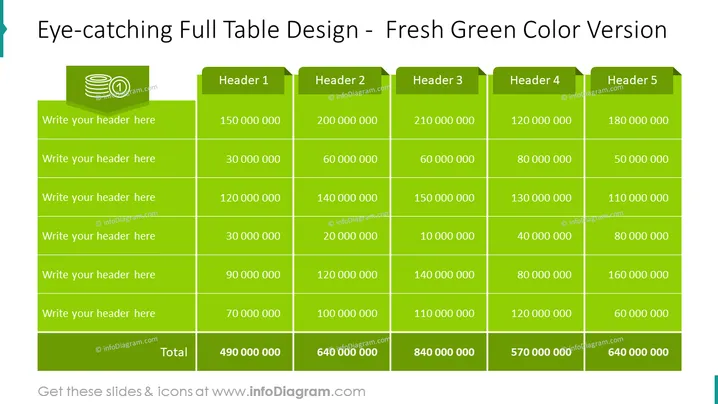
Eye-catching Full Table Design - Fresh Green Color Version
Slide Content
The slide presents a comprehensive table with a title suggesting it is visually appealing and in a green color scheme. The table is designed to display various headers and associated data which likely represent financial figures or other numerical data, as evidenced by the numbers in the cells. The rows within the table seem to be placeholders where specific header information can be inserted. There is also a row designated for the 'Total' which aggregates values across the columns.
Graphical Look
- The slide background is a clean and stark white.
- A large table dominates the slide, with a 'Fresh Green' color scheme, providing a vibrant and distinct appearance.
- The table header cells have a darker green shade with white text, which serves to differentiate them from other cells.
- Each row of the table alternates between a lighter green and a deeper green, enhancing readability and visual separation.
- There is an icon of stacked coins in the top left corner of the table, indicating a potential financial context.
- The numbers within the table are aligned to the right, following standard practice for numerical data presentation.
- Each cell is clearly delineated by bolded borders, which help to define the data structure and make the content easy to follow.
The slide features a professionally designed table with high-contrast colors for ease of reading. The choice of greens is eye-catching and gives the slide a fresh and energetic look.
Use Cases
- Presenting financial performance, such as quarterly earnings or annual budgets, in corporate meetings.
- Showcasing sales figures, where each cell can represent different products, regions, or salespersons.
- Comparing metrics across different business units or departments during strategy sessions.
- Reporting project costs or tracking expenses in a project management update presentation.
How to Edit
How to edit text & colors

How to expand / shorten diagram

How to Replace Icons in infoDiagram PPT


