Reviews
Your graphics add a nice touch to my presentations and I recently used them for one of my all-hands meetings. Your toolbox adds professionalism to my slides. Instead of using standard clipart.
I needed a fresh look at some of my slides. I've tried to find a way to create a paintbrush effect, to underline, accentuate, add some color and the handwritten markers were just the things. Very easy to use, easy to size, change the color. It was an affordable, perfect solution and I'm happy to recommend it.
The crisp, clean look of the graphics, and the fact that it allowed me to easily edit and change the colors to match the template was my main reason for purchasing them.
Description
Icons: Distribution, Retail
Slide Content
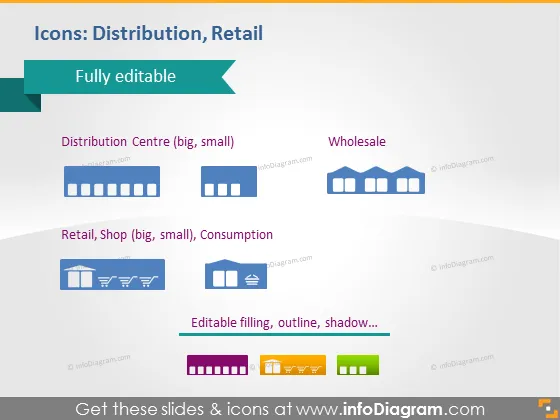
The PowerPoint slide presents a variety of editable icons related to distribution and retail, categorized into three groups for different aspects of the supply chain: Distribution Centre (big, small), Wholesale, and Retail, Shop (big, small), Consumption. The 'Distribution Centre' features icons representing large and small distribution facilities, emphasizing varying scales of operation. The 'Wholesale' category offers imagery for bulk sales and large-volume trade transactions. For 'Retail, Shop', icons show different retail settings and consumer interaction points, including both large and small scale operations, and the word 'Consumption' suggests end-user engagement.
Graphical Look
- The title "Icons: Distribution, Retail" is set against a dark teal banner at the top of the slide.
- Below the title, a lighter teal ribbon features the words "Fully editable".
- There are three rows of icons and text, each representing a different category:
- The top row has two icons representing big and small distribution centers with the associated text.
- The middle row includes three wholesale icons with the corresponding label.
- The bottom row shows a series of retail and consumption-related icons with captions.
- Each category has a text label in a bold, dark font color.
- The icons themselves are two-dimensional and have a flat design style with a uniform dark blue color.
- Below the icon categories, there's a text line "Editable filling, outline, shadow..." with a row of colored squares indicating customizable color options.
- The overall look of the slide is clean and professional, with a consistent color scheme and a structured layout. The icons are simple yet descriptive, meant to visually communicate aspects of distribution and retail quickly and effectively.
Use Cases
- Introducing supply chain concepts during a business or educational presentation.
- Explaining the different stages of product distribution in a corporate training session.
- Visualizing retail operations and categories in a strategic business plan.
- Enhancing discussions in marketing material about the target markets and the flow of products from production to consumption.
How to Edit
How to edit text & colors

How to expand / shorten diagram

How to Replace Icons in infoDiagram PPT


