

Your graphics add a nice touch to my presentations and I recently used them for one of my all-hands meetings. Your toolbox adds professionalism to my slides. Instead of using standard clipart.
Claude Jones, Director of Engineer, @Walmartlabs, USA

Your graphics add a nice touch to my presentations and I recently used them for one of my all-hands meetings. Your toolbox adds professionalism to my slides. Instead of using standard clipart.
Claude Jones, Director of Engineer, @Walmartlabs, USA
I needed a fresh look at some of my slides. I've tried to find a way to create a paintbrush effect, to underline, accentuate, add some color and the handwritten markers were just the things. Very easy to use, easy to size, change the color. It was an affordable, perfect solution and I'm happy to recommend it.
Anonymous, US
The crisp, clean look of the graphics, and the fact that it allowed me to easily edit and change the colors to match the template was my main reason for purchasing them.
Brandie Jenkins, E-learning Developer, USA
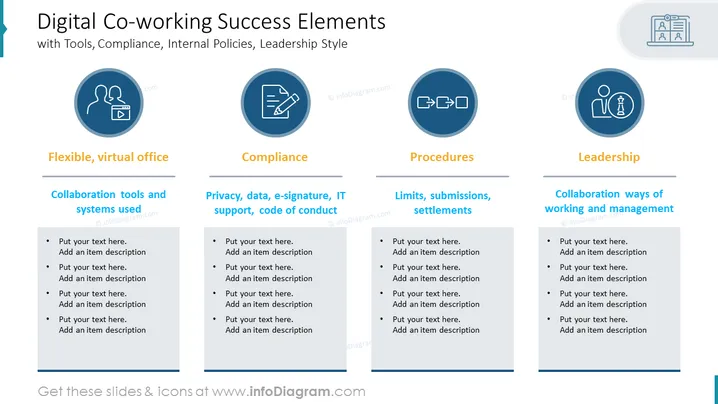
The slide is titled "Digital Co-working Success Elements" and it discusses the various components crucial for effective digital co-working, such as flexible virtual office setups, compliance with privacy and IT policies, adherence to procedures, and leadership style. Each element is broken down into further details: "Flexible, virtual office" emphasizes the importance of collaboration tools and systems; "Compliance" focuses on privacy, data security, and code of conduct; "Procedures" deals with limits and submissions; and "Leadership" offers insight into collaborative management approaches.
The slide has a clean, corporate design with a clear, organized structure that facilitates readability and focus on the distinct categories.



