Reviews
Sus gráficos añaden un toque agradable a mis presentaciones y recientemente los usé para una de mis reuniones generales. Su conjunto de herramientas añade profesionalismo a mis diapositivas. En lugar de usar imágenes prediseñadas estándar.
Necesitaba un aspecto fresco para algunas de mis diapositivas. Había intentado encontrar una forma de crear un efecto de pincel, de subrayar, acentuar, añadir algo de color y los marcadores escritos a mano fueron justo lo que necesitaba. Muy fácil de usar, fácil de ajustar el tamaño, cambiar el color. Fue una solución asequible y perfecta, y estoy feliz de recomendarla.
El aspecto nítido y limpio de los gráficos, y el hecho de que me permitiera editar y cambiar fácilmente los colores para que coincidieran con la plantilla fue mi principal razón para comprarlos.
Description
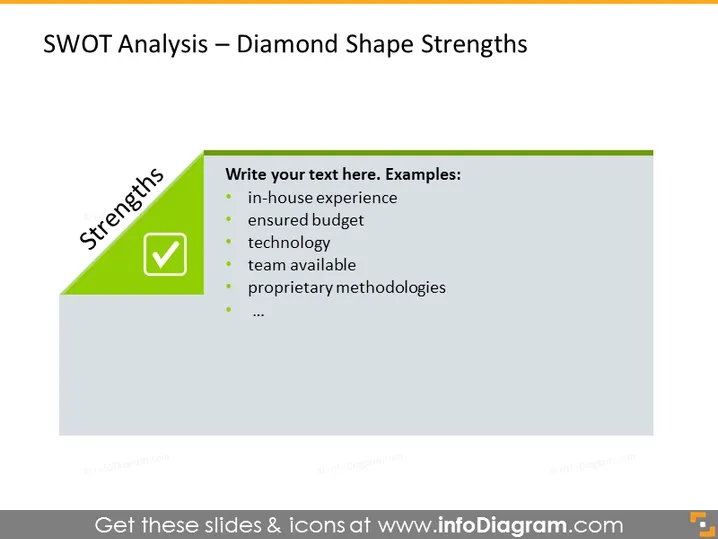
SWOT Analysis – Diamond Shape Strengths
Slide Content
The slide presents a SWOT Analysis focusing on the "Strengths" aspect. The listed examples of strengths include "in-house experience," indicating a company's accumulated expertise; "ensured budget," which points to financial stability; "technology," referring to advanced tools or software the company uses; "team available," suggesting a ready and capable workforce; and "proprietary methodologies," which are unique techniques or processes that give the company a competitive edge.
Graphical Look
- The slide has a large green diamond shape on the left-hand side with a white checkmark and the word "Strengths" written vertically in capitalized letters.
- To the right of the green diamond, there is a text box containing bulleted points with example strengths for a SWOT analysis.
- The background of the slide is light gray, contrasting with the green diamond.
- The bullet points use a simple circular design, aligned vertically with sufficient space between each point.
- The font color of the text inside the text box appears to be a dark color, likely black or dark gray, providing a good readability against the lighter background.
The overall look of the slide is clean and professional, with a clear visual highlight on the "Strengths" section using a contrasting color. The text is well-organized with good use of space, allowing for easy readability.
Use Cases
- To present the strengths of a company or project during a strategic business review or planning session.
- During a marketing presentation to highlight the competitive advantages of a product or service.
- In a management meeting to discuss internal resources and capabilities when considering new opportunities or challenges.
- To facilitate a discussion or workshop with a team to focus on positive aspects and build on organizational or project strengths.
How to Edit
How to edit text & colors

How to expand / shorten diagram

How to Replace Icons in infoDiagram PPT


