Reviews
Your graphics add a nice touch to my presentations and I recently used them for one of my all-hands meetings. Your toolbox adds professionalism to my slides. Instead of using standard clipart.
I needed a fresh look at some of my slides. I've tried to find a way to create a paintbrush effect, to underline, accentuate, add some color and the handwritten markers were just the things. Very easy to use, easy to size, change the color. It was an affordable, perfect solution and I'm happy to recommend it.
The crisp, clean look of the graphics, and the fact that it allowed me to easily edit and change the colors to match the template was my main reason for purchasing them.
Description
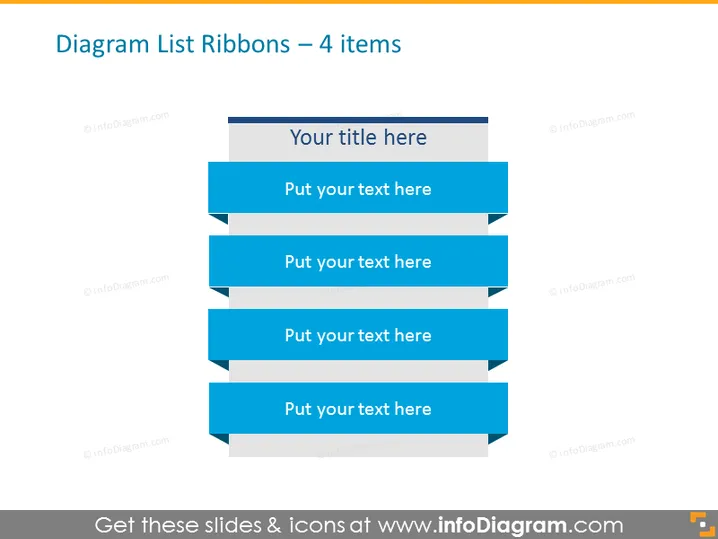
Diagram List Ribbons – 4 items
Slide Content
The "Diagram List Ribbons – 4 items" slide appears to be structured for presenting a list of four key points or steps in a process. Each ribbon design allows for text to be inputted, offering a clear way to organize and emphasize individual elements which might represent sequential steps, important features, or distinct categories within a topic.
Graphical Look
- The slide background is a solid, light color.
- Four dark blue ribbon shapes are horizontally aligned in the center, with a lighter blue arrowhead at the right end of each ribbon.
- Text placeholders with the phrase "Put your text here" are placed within each ribbon, suggesting where to input custom information.
- A separate, horizontal rectangular shape sits above the ribbons, purposed for a title with the placeholder "Your title here".
- The ribbon shapes are layered in a staggered arrangement, creating a depth effect.
- There is a subtle use of shadows beneath each ribbon shape, contributing to the three-dimensional appearance.
The slide has a clean and modern aesthetic, with a professional color scheme. The ribbon graphics serve as both text containers and visual elements that guide the viewer's attention from top to bottom.
Use Cases
- Presenting a list of services or products in a marketing presentation.
- Outlining steps in a business process during a training session.
- Detailing features or benefits of a proposal in a sales pitch.
- Summarizing key points at the conclusion of a conference presentation.
How to Edit
How to edit text & colors

How to expand / shorten diagram

How to Replace Icons in infoDiagram PPT


