Reviews
Ihre Grafiken verleihen meinen Präsentationen eine nette Note, und ich habe sie kürzlich für eines meiner All-Hands-Meetings verwendet. Ihre Toolbox verleiht meinen Folien Professionalität, anstatt Standard-Clipart zu verwenden.
Ich brauchte einen neuen Blick auf einige meiner Folien. Ich habe versucht, einen Weg zu finden, einen Pinselschlag-Effekt zu erzielen, um zu unterstreichen, hervorzuheben, Farbe hinzuzufügen, und die handgeschriebenen Markierungen waren genau das Richtige. Sehr einfach zu bedienen, leicht in der Größe zu ändern, die Farbe zu ändern. Es war eine erschwingliche, perfekte Lösung und ich empfehle sie gerne weiter.
Die klare, saubere Optik der Grafiken und die Tatsache, dass ich die Farben leicht bearbeiten und an die Vorlage anpassen konnte, war mein Hauptgrund für den Kauf.
Description
Icons: Demographics Signs
Slide Content
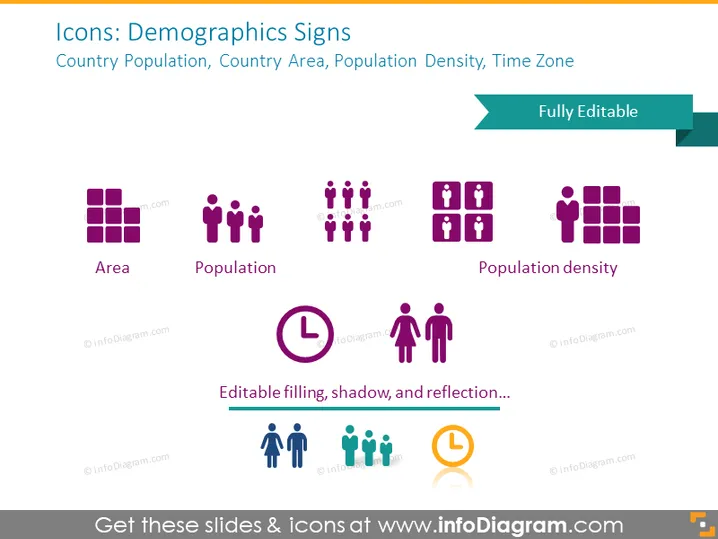
This PowerPoint slide displays a collection of icons that represent demographic metrics such as Country Population, Country Area, Population Density, and Time Zone. The icons are paired with labels to clarify what each signifies: "Area" is depicted by a grid of squares, representing geographic regions; "Population" is shown with multiple human figures, indicating a group of people; "Population Density" is symbolized by a dense cluster of human figures, illustrating the concept of many people living in a confined space; and there are also other icons not fully visible or labeled, likely referring to additional demographic data like Time Zone.
Graphical Look
- The slide background is a solid, light color.
- At the top, there's a broad header in dark text announcing the theme of the slide.
- A teal ribbon element extends from the right, labeled "Fully Editable".
- Six icons are uniformly distributed across the slide, each accompanied by a label beneath it.
- Icons are designed with a flat graphic style and a monochromatic purple color palette.
- Each icon and its corresponding label is centrally placed within a separate imaginary column.
- The first three icons from the left depict a set of squares, human figures, and a dense group of human figures, respectively.
- There is descriptive text at the bottom in a smaller font, cursive handwriting, implying the icons' features such as "Editable filling, shadow, and reflection".
The slide has a modern and clean aesthetic, utilizing a simple color scheme and clear typography to emphasize the demographic icons. The visual composition is balanced, with a symmetrical arrangement of icons and text, making it visually appealing and easy to comprehend.
Use Cases
- To visually communicate demographic statistics in a business or academic presentation.
- To enhance reports with visual icons that quickly convey key population and geographical data.
- As part of an infographic or data dashboard summarizing region-specific demographic trends.
- To provide visual cues in marketing materials where understanding an audience's demographic is essential.
How to Edit
How to edit text & colors

How to expand / shorten diagram

How to Replace Icons in infoDiagram PPT


