Reviews
Your graphics add a nice touch to my presentations and I recently used them for one of my all-hands meetings. Your toolbox adds professionalism to my slides. Instead of using standard clipart.
I needed a fresh look at some of my slides. I've tried to find a way to create a paintbrush effect, to underline, accentuate, add some color and the handwritten markers were just the things. Very easy to use, easy to size, change the color. It was an affordable, perfect solution and I'm happy to recommend it.
The crisp, clean look of the graphics, and the fact that it allowed me to easily edit and change the colors to match the template was my main reason for purchasing them.
Description
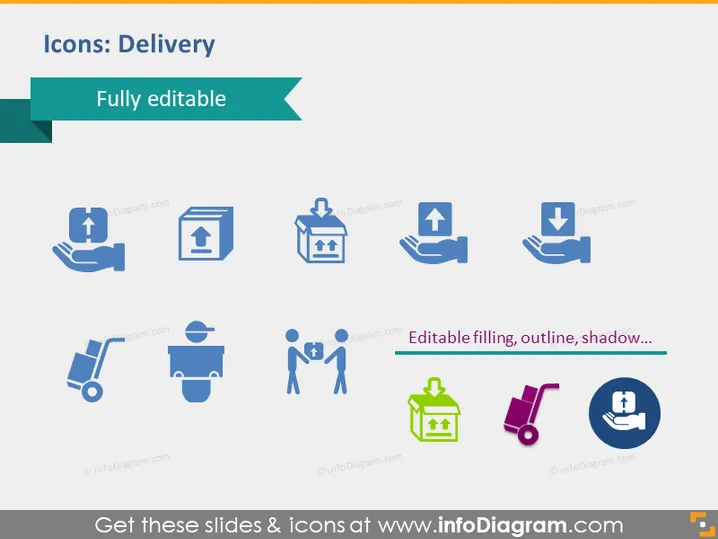
Icons: Delivery
Slide Content
The slide is titled "Icons: Delivery" and suggests the icons are fully editable. It displays a collection of various delivery-related icons, including hands holding a package, a box with an upward arrow indicating 'out for delivery,' hands receiving a package with a downward arrow signifying 'delivered,' a handcart, a worker with a wheelbarrow, two people exchanging a package suggesting a delivery transaction, a gift box representing a special package, a pushcart, and a circular icon with a person and tick mark denoting 'delivery confirmed'. Each icon visualizes a different aspect or step in the delivery process, presenting a versatile set of symbols that can be used to represent delivery services or logistics steps.
Graphical Look
- The slide background is white.
- Title text "Icons: Delivery" is displayed in dark text on a teal ribbon banner at the top left.
- The subtitle "Fully editable" is in a smaller font on a smaller ribbon banner overlapping the main banner.
- Eight icons are arranged in two rows and four columns in the center.
- Each icon is a simple, two-tone graphic, primarily in a blue shade with dark grey accents.
- There is a text label beneath the icons on the right stating "Editable filling, outline, shadow..." suggesting customization features.
- Icons are evenly spaced and presented with a consistent design theme.
- No shadows or complex graphics are present, maintaining a clean and straightforward aesthetic.
The slide has a professional and clean design with a business-like blue color theme. The icons are simple and easily recognizable, adhering to a flat design aesthetic suitable for a corporate setting.
Use Cases
- To highlight various stages of the delivery process in a logistics or supply chain presentation.
- In an e-commerce presentation to illustrate the customer journey from ordering to receiving products.
- As visual aids in instructional materials for employees within delivery and fulfillment departments.
- During business strategy meetings to represent improvements or changes in the delivery operation workflow.
How to Edit
How to edit text & colors

How to expand / shorten diagram

How to Replace Icons in infoDiagram PPT


