Reviews
Ihre Grafiken verleihen meinen Präsentationen eine nette Note, und ich habe sie kürzlich für eines meiner All-Hands-Meetings verwendet. Ihre Toolbox verleiht meinen Folien Professionalität, anstatt Standard-Clipart zu verwenden.
Ich brauchte einen neuen Blick auf einige meiner Folien. Ich habe versucht, einen Weg zu finden, einen Pinselschlag-Effekt zu erzielen, um zu unterstreichen, hervorzuheben, Farbe hinzuzufügen, und die handgeschriebenen Markierungen waren genau das Richtige. Sehr einfach zu bedienen, leicht in der Größe zu ändern, die Farbe zu ändern. Es war eine erschwingliche, perfekte Lösung und ich empfehle sie gerne weiter.
Die klare, saubere Optik der Grafiken und die Tatsache, dass ich die Farben leicht bearbeiten und an die Vorlage anpassen konnte, war mein Hauptgrund für den Kauf.
Description
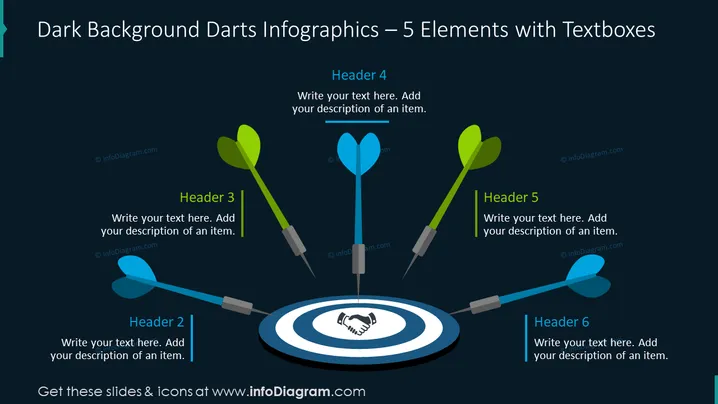
Dark Background Darts Infographics – 5 Elements with Textboxes
Slide Content
The PowerPoint slide displays a darts theme to present 5 key elements or ideas. Each element is represented by a dart that visually hits a central target, conveying the concept of precision or goal achievement. Text boxes labeled with headers 2 to 6 provide space to add descriptions, indicating that each dart corresponds to a specific point or topic, combining imagery of target accomplishment with informational content.
Graphical Look
- The background of the slide is dark, possibly navy blue, to highlight the other visual elements.
- A central dartboard with a handshake symbol in the bullseye acts as the focal point.
- Five darts with feather tailpieces in different colors (green, blue) seem to be heading towards or placed into the dartboard.
- Each dart is associated with a colored textbox, labeled with headers 2 to 6, where users can write explanatory text.
- A light beam effect appears behind the dartboard, emphasizing the central concept.
- Textboxes are visually connected to the darts by thin lines, suggesting a relationship between each item and its description.
The slide has a sleek, professional look with a pop of color against the dark background. The use of darts as metaphors for precision and goals creates a visual theme that is both engaging and clear.
Use Cases
- Presenting company targets or objectives in a visually engaging manner, with each dart representing a specific goal.
- Outlining steps or strategies in a business plan, where each dart is a step towards the central target, symbolizing the final aim.
- Illustrating performance metrics or key results areas, with each dart correlating to a performance indicator or department within an organization.
- Visualizing the critical components of a project with each dart symbolizing a core element needed to achieve the project's central objective.
How to Edit
How to edit text & colors

How to expand / shorten diagram

How to Replace Icons in infoDiagram PPT


