

Your graphics add a nice touch to my presentations and I recently used them for one of my all-hands meetings. Your toolbox adds professionalism to my slides. Instead of using standard clipart.
Claude Jones, Director of Engineer, @Walmartlabs, USA

Your graphics add a nice touch to my presentations and I recently used them for one of my all-hands meetings. Your toolbox adds professionalism to my slides. Instead of using standard clipart.
Claude Jones, Director of Engineer, @Walmartlabs, USA
I needed a fresh look at some of my slides. I've tried to find a way to create a paintbrush effect, to underline, accentuate, add some color and the handwritten markers were just the things. Very easy to use, easy to size, change the color. It was an affordable, perfect solution and I'm happy to recommend it.
Anonymous, US
The crisp, clean look of the graphics, and the fact that it allowed me to easily edit and change the colors to match the template was my main reason for purchasing them.
Brandie Jenkins, E-learning Developer, USA
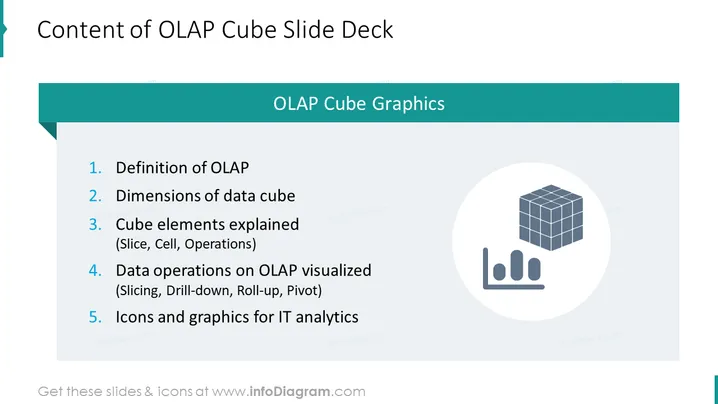
The PowerPoint slide is titled "Content of OLAP Cube Slide Deck" and lists five key points related to OLAP cubes. The first point is the "Definition of OLAP" which would cover what OLAP stands for and its relevance in data analytics. The second point, "Dimensions of data cube," likely explains the multi-dimensional aspect of OLAP data structures. "Cube elements explained (Slice, Cell, Operations)" is the third point, offering details on the components and functionalities within an OLAP cube, such as slicing (extracting a subset of the cube), cells (the smallest data unit), and various operations. The fourth point, "Data operations on OLAP visualized (Slicing, Drill-down, Roll-up, Pivot)," further delves into the manipulations and analytical processes applicable to OLAP cubes. The last point is "Icons and graphics for IT analytics" which probably refers to visual aids that can be used to represent OLAP concepts graphically in IT and analytics reports or presentations.
The overall look of the slide is professional and clean, with a teal and white color scheme that provides good contrast and visual clarity. The use of icons helps illustrate the concepts being presented on the slide ### Use Cases



