Reviews
Your graphics add a nice touch to my presentations and I recently used them for one of my all-hands meetings. Your toolbox adds professionalism to my slides. Instead of using standard clipart.
I needed a fresh look at some of my slides. I've tried to find a way to create a paintbrush effect, to underline, accentuate, add some color and the handwritten markers were just the things. Very easy to use, easy to size, change the color. It was an affordable, perfect solution and I'm happy to recommend it.
The crisp, clean look of the graphics, and the fact that it allowed me to easily edit and change the colors to match the template was my main reason for purchasing them.
Description
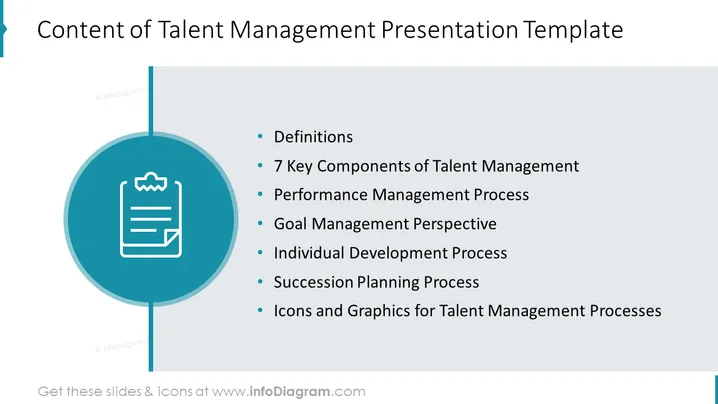
Content of Talent Management Presentation Template
Slide Content
This PowerPoint slide introduces the key topics covered in a Talent Management Presentation Template. It lists essential areas such as "Definitions" which could entail terminology relevant to talent management; "7 Key Components of Talent Management" likely offers a detailed framework for understanding talent management dynamics; "Performance Management Process" is about how an organization monitors and evaluates employee performance; "Goal Management Perspective" discusses the alignment of individual objectives with corporate strategy; "Individual Development Process" focuses on the growth and skill advancement of employees; "Succession Planning Process" involves preparing for the future leadership needs of the company; and "Icons and Graphics for Talent Management Processes" indicates the availability of visual aids tailored for this subject.
Graphical Look
- The slide has a clean, professional look with a blue and white color scheme.
- The title of the slide "Content of Talent Management Presentation Template" is prominently displayed at the top.
- A large circular graphic with a clipboard icon sits in the center, connected to a vertical line that runs the length of the slide.
- The circular graphic serves as a visual anchor separating the title from the content list.
- Six bullet points list the topics covered in the presentation, aligned to the right of the circular graphic.
- Each bullet point starts with a smaller bullet icon and is followed by a text description.
- The slide's text elements are sans-serif, contributing to the slide's modern appearance.
- There is a significant amount of white space that adds to the readability and clean design of the slide.
The overall look of the slide is minimalistic and corporate, with a tendency towards simplicity and clarity. The blue circular graphic provides an interesting visual break from the text, helping to guide the viewer's eye through the content.
Use Cases
- This slide can be used to introduce the agenda of a human resources training seminar on talent management.
- Ideal for the opening slides in corporate presentations aimed at educating management about key talent management strategies.
- It can be employed as an overview of key components during executive meetings focused on enhancing the company's talent management approach.
- Useful in consulting scenarios, where external experts present a talent management framework to client organizations.
How to Edit
How to edit text & colors

How to expand / shorten diagram

How to Replace Icons in infoDiagram PPT


