

Your graphics add a nice touch to my presentations and I recently used them for one of my all-hands meetings. Your toolbox adds professionalism to my slides. Instead of using standard clipart.
Claude Jones, Director of Engineer, @Walmartlabs, USA

Your graphics add a nice touch to my presentations and I recently used them for one of my all-hands meetings. Your toolbox adds professionalism to my slides. Instead of using standard clipart.
Claude Jones, Director of Engineer, @Walmartlabs, USA
I needed a fresh look at some of my slides. I've tried to find a way to create a paintbrush effect, to underline, accentuate, add some color and the handwritten markers were just the things. Very easy to use, easy to size, change the color. It was an affordable, perfect solution and I'm happy to recommend it.
Anonymous, US
The crisp, clean look of the graphics, and the fact that it allowed me to easily edit and change the colors to match the template was my main reason for purchasing them.
Brandie Jenkins, E-learning Developer, USA
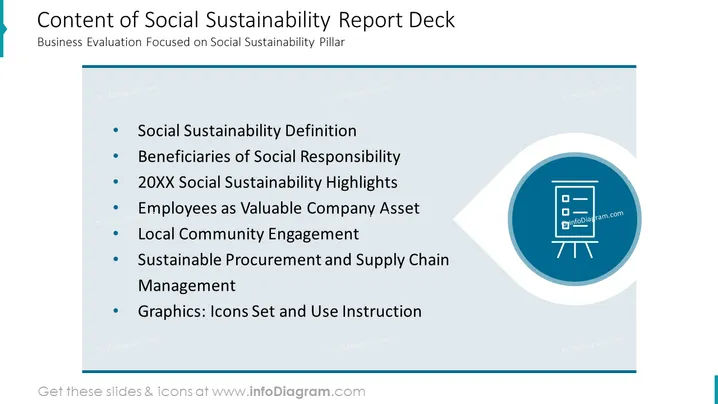
The PowerPoint slide is titled "Content of Social Sustainability Report Deck" and lists key topics for business evaluation focused on the pillar of social sustainability. These include the definition of social sustainability itself, identifying who benefits from corporate social responsibility, highlighting company achievements in social sustainability for a specific year (indicated as 20XX), viewing employees as critical assets to the company, the role of community engagement, how sustainability is integrated into procurement and supply chain management, and finally a reference to a set of icons and their usage instructions. Each of these items likely corresponds to a section within the report deck that elaborates on these aspects of social sustainability.
The slide has a clean and professional aesthetic, with a simple color scheme dominated by shades of blue and teal. The use of icons adds a visual element to the text-heavy slide, aiding in the presentation's visual engagement.



