Reviews
Your graphics add a nice touch to my presentations and I recently used them for one of my all-hands meetings. Your toolbox adds professionalism to my slides. Instead of using standard clipart.
I needed a fresh look at some of my slides. I've tried to find a way to create a paintbrush effect, to underline, accentuate, add some color and the handwritten markers were just the things. Very easy to use, easy to size, change the color. It was an affordable, perfect solution and I'm happy to recommend it.
The crisp, clean look of the graphics, and the fact that it allowed me to easily edit and change the colors to match the template was my main reason for purchasing them.
Description
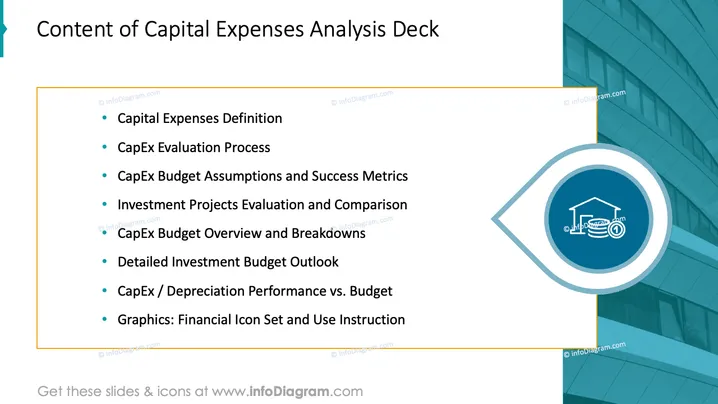
Content of Capital Expenses Analysis Deck
Slide Content
The slide is designed to outline the different sections of a Capital Expenses Analysis Deck. It includes topics such as "Capital Expenses Definition," explaining what capital expenses are; "CapEx Evaluation Process," detailing the methods of assessing capital expenditures; "CapEx Budget Assumptions and Success Metrics," discussing the underlying assumptions for the budget and how success is measured; "Investment Projects Evaluation and Comparison," which compares various investment opportunities; "CapEx Budget Overview and Breakdowns," providing a detailed look at the capital expenditure budget; "Detailed Investment Budget Outlook," offering a close examination of the projected investment budget; and "CapEx/Depreciation Performance vs. Budget," which compares actual performance with budgeted figures. Lastly, it mentions "Graphics: Financial Icon Set and Use Instruction," likely referring to visual aids provided for financial analysis.
Graphical Look
- The background is an angular gradient with a light turquoise shade transitioning to white.
- The slide title is bold and placed at the top in a large font size.
- A turquoise accent line appears at the top left of the slide, partially overlaying the title.
- The list items are bullet-pointed, with the text in dark color for contrast against the lighter background.
- There is a circular graphic on the right side of the slide, filled with a darker shade of blue and containing a white icon symbolizing finance or investment.
- The outline of the circle extends into a partial ellipse that frames the icon.
- The slide balances text content on the left with a single, bold graphic on the right for visual interest.
The slide has a clean, professional look with a well-organized layout. The dominant turquoise and blue hues suggest a corporate or financial theme, which is reinforced by the iconography.
Use Cases
- Presenting an overview of a corporate finance meeting that details each agenda item related to capital expenses.
- Providing a roadmap in a workshop on financial planning and capital budget analysis.
- Outlining the content of a training session for financial analysts focusing on capital expenditure management.
- Introducing topics in an investor relations presentation to highlight the company's financial stewardship and planning regarding capital investments.
How to Edit
How to edit text & colors

How to expand / shorten diagram

How to Replace Icons in infoDiagram PPT


