Reviews
Sus gráficos añaden un toque agradable a mis presentaciones y recientemente los usé para una de mis reuniones generales. Su conjunto de herramientas añade profesionalismo a mis diapositivas. En lugar de usar imágenes prediseñadas estándar.
Necesitaba un aspecto fresco para algunas de mis diapositivas. Había intentado encontrar una forma de crear un efecto de pincel, de subrayar, acentuar, añadir algo de color y los marcadores escritos a mano fueron justo lo que necesitaba. Muy fácil de usar, fácil de ajustar el tamaño, cambiar el color. Fue una solución asequible y perfecta, y estoy feliz de recomendarla.
El aspecto nítido y limpio de los gráficos, y el hecho de que me permitiera editar y cambiar fácilmente los colores para que coincidieran con la plantilla fue mi principal razón para comprarlos.
Description
Conclusions
Slide Content
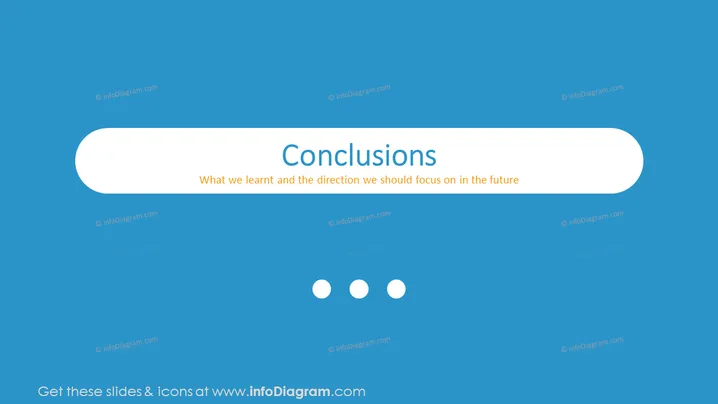
The PowerPoint slide depicts a concluding segment of a presentation. The slide title "Conclusions" suggests it is meant for summarizing the findings or decisions of the discussion. Below the title, it states "What we learnt and the direction we should focus on in the future," indicating this slide is intended to reflect on lessons learned and set future objectives or a course of action. This could involve highlighting key outcomes of a project, evaluating performance, or establishing strategic plans going forward.
Graphical Look
- A large, bold title "Conclusions" centered at the top of the slide.
- Text below the title with a message about learning and future direction.
- A horizontal capsule-shaped text box with rounded ends, encapsulating the aforementioned text.
- The slide background is a solid, calming shade of blue.
- Three circular icons lined horizontally beneath the text box, presumably to indicate sequential slides or a way to navigate between different sections.
The overall look of the slide is clean and modern, using minimal elements to convey the message with clarity. The choice of a single, soft color and ample negative space emphasizes focus on the content.
Use Cases
- Wrapping up a business meeting or presentation with key takeaways.
- Summarizing the outcomes of a project or study to stakeholders.
- Setting the stage for future strategies in management or board meetings.
- Concluding workshops or seminars with a focus on lessons learned and next steps.
How to Edit
How to edit text & colors

How to expand / shorten diagram

How to Replace Icons in infoDiagram PPT


