Comparing Multiple Investment Projects

Slide Content

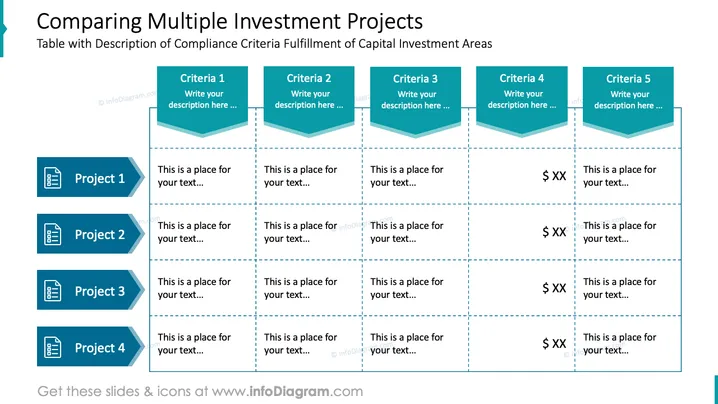
The slide is designed to compare different investment projects against multiple criteria. It features a table where each row represents a project and each column represents a compliance criterion. Users can fill in descriptions for Criteria 1 to 5 and note how each Project 1 to 4 measures up to these criteria. Criteria 4 and 5 appear to involve financial metrics, as indicated by the dollar sign placeholders suggesting an expected monetary value or cost.

Graphical Look

  • The slide background is white.
  • The title is in a large, bold, blue font.
  • There are five columns denoting different criteria, each topped with a teal banner containing white text for the criterion's placeholder title.
  • Each criterion column includes a placeholder text box with a dashed line border.
  • Four rows are labeled 'Project 1' to 'Project 4' with dark blue document icon labels on the left.
  • Each row includes placeholder text boxes corresponding to the columns above, bordered by dashed lines.
  • The dollar sign "$ XX" appears in the placeholder text boxes under Criteria 4 and 5, signifying a monetary evaluation or cost aspect associated with these criteria.

The overall look of the slide is clean and professional, employing a minimalistic color scheme with shades of blue and teal to organize information effectively.

Use Cases

  • Comparing the compliance of various investment projects against key criteria during a business strategy meeting.
  • Evaluating the financial implications of different projects in a budget planning session.
  • Presenting investment options to stakeholders to display their alignment with company objectives.
  • Using in portfolio management discussions to assess and prioritize projects based on multiple performance indicators.
Comparing Multiple Investment Projects

This slide is part of the deck:

CapEx Investments Planning Financial Report (PowerPoint Template)


