Reviews
Your graphics add a nice touch to my presentations and I recently used them for one of my all-hands meetings. Your toolbox adds professionalism to my slides. Instead of using standard clipart.
I needed a fresh look at some of my slides. I've tried to find a way to create a paintbrush effect, to underline, accentuate, add some color and the handwritten markers were just the things. Very easy to use, easy to size, change the color. It was an affordable, perfect solution and I'm happy to recommend it.
The crisp, clean look of the graphics, and the fact that it allowed me to easily edit and change the colors to match the template was my main reason for purchasing them.
Description
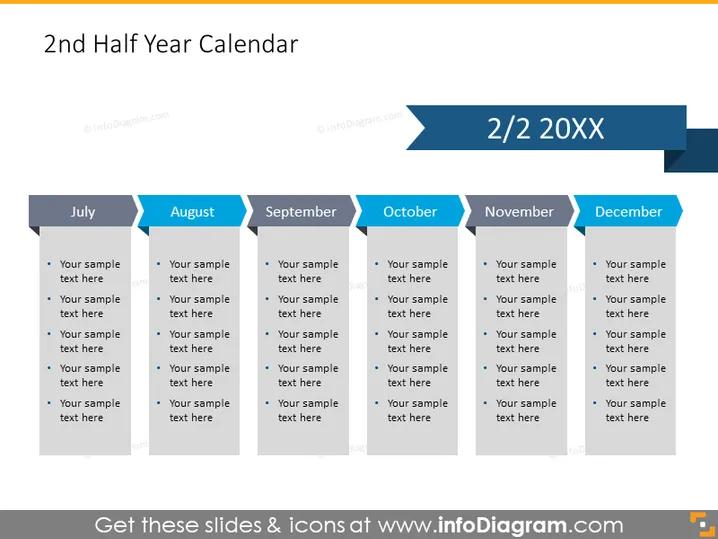
2nd Half Year Calendar
Slide Content
This PowerPoint slide presents a "2nd Half Year Calendar," designed to sequentially display monthly activities or plans for July, August, September, October, November, and December. Each month is represented by a tab with space underneath for detailed bullet points, allowing for an organized and clear presentation of tasks, goals, or events specific to that month. This layout aids in outlining a half-year strategy or schedule, ensuring that viewers can understand the timeframe and priorities for the latter part of the year.
Graphical Look
- Dark blue background color with a gradient effect providing depth.
- Centered title in large, bold white font, with the year half "2/2" on a darker blue ribbon extending to the right.
- Each month is indicated by a lighter blue tab with the month name in white text.
- Below each month tab, there's a grey text box containing bullet points for listing details or plans.
- Six grey text boxes are evenly distributed across the slide, three on the top row and three on the bottom.
- Each month's tab and corresponding text box creates a cohesive visual unit.
- The use of contrasting colors (blue, white, and grey) helps distinguish between elements.
- The font style appears modern and easy to read.
The slide has a professional and clean look with a strong color contrast that draws attention to each month's section. The layout is symmetrical and balanced, providing a structured template for displaying information.
Use Cases
- Outlining a company’s strategic plan for the second half of the fiscal year, indicating key dates, deadlines, and milestones.
- Planning and presenting a marketing calendar with campaigns, product launches, or promotions for each month.
- Summarizing upcoming events, conferences, or important industry dates relevant to the business or organization.
- Tracking project timelines and deliverables for teams or departments to ensure accountability and progress monitoring.
How to Edit
How to edit text & colors

How to expand / shorten diagram

How to Replace Icons in infoDiagram PPT


