Reviews
Sus gráficos añaden un toque agradable a mis presentaciones y recientemente los usé para una de mis reuniones generales. Su conjunto de herramientas añade profesionalismo a mis diapositivas. En lugar de usar imágenes prediseñadas estándar.
Necesitaba un aspecto fresco para algunas de mis diapositivas. Había intentado encontrar una forma de crear un efecto de pincel, de subrayar, acentuar, añadir algo de color y los marcadores escritos a mano fueron justo lo que necesitaba. Muy fácil de usar, fácil de ajustar el tamaño, cambiar el color. Fue una solución asequible y perfecta, y estoy feliz de recomendarla.
El aspecto nítido y limpio de los gráficos, y el hecho de que me permitiera editar y cambiar fácilmente los colores para que coincidieran con la plantilla fue mi principal razón para comprarlos.
Description
About Company
Slide Content
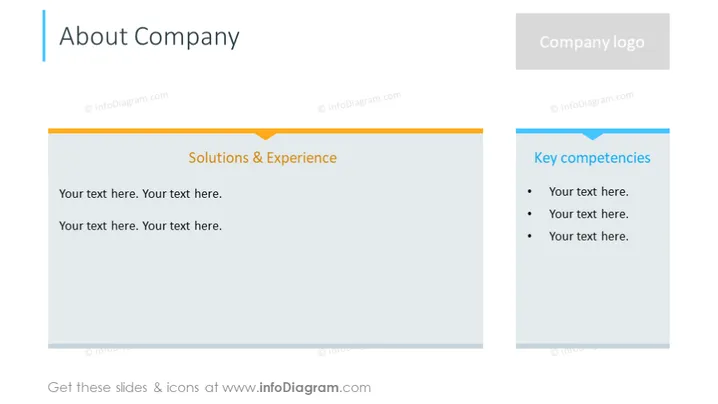
The PowerPoint slide titled "About Company" is designed to present information about a company's background, focusing on "Solutions & Experience" and "Key competencies." These headings suggest that the slide is meant to convey what the company offers in terms of products, services, or expertise (Solutions & Experience), and also what core skills or advantages the company has (Key competencies). Placeholder text prompts users to input relevant details.
Graphical Look
- The slide has a horizontal layout divided into two main sections.
- A large left section with an orange header bar featuring the text "Solutions & Experience."
- The right section has a smaller blue header bar with the text "Key competencies."
- Both sections have a significant amount of white space to accommodate custom text.
- On the top right corner, there is a placeholder labeled "Company logo" with a grey background, suggesting where a logo can be inserted.
- Bullet points are present in the right section under the header "Key competencies."
- The background of the slide is white.
The slide uses a clean and professional design with contrasting header bars to differentiate content areas. The structured layout and placeholder elements indicate a focus on readability and customization.
Use Cases
- Introducing a company during business meetings or pitches to potential clients, investors, or partners.
- Highlighting a company's strengths and unique selling points in sales presentations or marketing materials.
- Showcasing company capabilities and areas of expertise during industry conferences or networking events.
- Providing a brief overview of the company's background and skills in webinars or virtual presentations.
How to Edit
How to edit text & colors

How to expand / shorten diagram

How to Replace Icons in infoDiagram PPT


