Reviews
Your graphics add a nice touch to my presentations and I recently used them for one of my all-hands meetings. Your toolbox adds professionalism to my slides. Instead of using standard clipart.
I needed a fresh look at some of my slides. I've tried to find a way to create a paintbrush effect, to underline, accentuate, add some color and the handwritten markers were just the things. Very easy to use, easy to size, change the color. It was an affordable, perfect solution and I'm happy to recommend it.
The crisp, clean look of the graphics, and the fact that it allowed me to easily edit and change the colors to match the template was my main reason for purchasing them.
Description
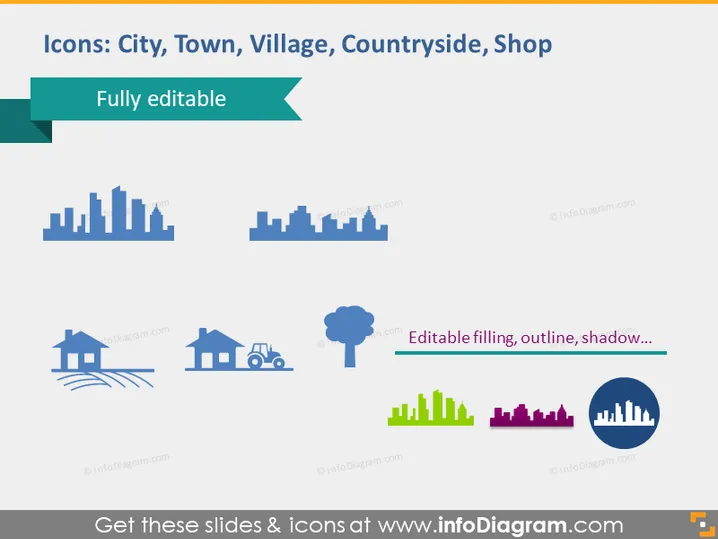
Icons: City, Town, Village, Countryside, Shop
Slide Content
The slide presents a collection of fully editable icons representing different areas and concepts such as a city, town, village, countryside, and a shop. Each icon simplifies its respective concept into easily recognizable visual metaphors—a city with a skyline of various building heights; a town with a more moderate and even skyline; a village portrayed by a single house and trees; the countryside represented by fields and a tree; and a shop signified by a storefront.
Graphical Look
- The slide background is white, creating a clean and neutral canvas.
- At the top, there's a teal ribbon banner with the title in white text.
- A row of five different icons is arrayed across the middle of the slide.
- Each icon has a label beneath it, in a smaller, grey font.
- The city icon is a set of blue skyscrapers with varying heights.
- The town icon shows a shorter, less dense cluster of blue buildings.
- The village icon depicts a single blue house with a couple of trees.
- The countryside icon illustrates green fields and a single tree.
- The shop icon is featured with a magenta and yellow storefront.
- To the right, there's a circular icon with a pie-chart-like city silhouette.
The overall look of the slide is colorful, with a minimalist design focusing on silhouette icons to convey different habitats and structures. The color and size of each icon vary to express the concept's scope and nature.
Use Cases
- To compare different geographical or population areas in a business or educational presentation.
- To discuss demographic trends or market segmentation by region in marketing or sales meetings.
- To illustrate service coverage or facilities distribution in urban planning or real estate presentations.
- To provide visual cues for topics such as infrastructure, development projects, or community services in governmental reports.
How to Edit
How to edit text & colors

How to expand / shorten diagram

How to Replace Icons in infoDiagram PPT


