Reviews
Your graphics add a nice touch to my presentations and I recently used them for one of my all-hands meetings. Your toolbox adds professionalism to my slides. Instead of using standard clipart.
I needed a fresh look at some of my slides. I've tried to find a way to create a paintbrush effect, to underline, accentuate, add some color and the handwritten markers were just the things. Very easy to use, easy to size, change the color. It was an affordable, perfect solution and I'm happy to recommend it.
The crisp, clean look of the graphics, and the fact that it allowed me to easily edit and change the colors to match the template was my main reason for purchasing them.
Description
Your sample description here
Slide Content
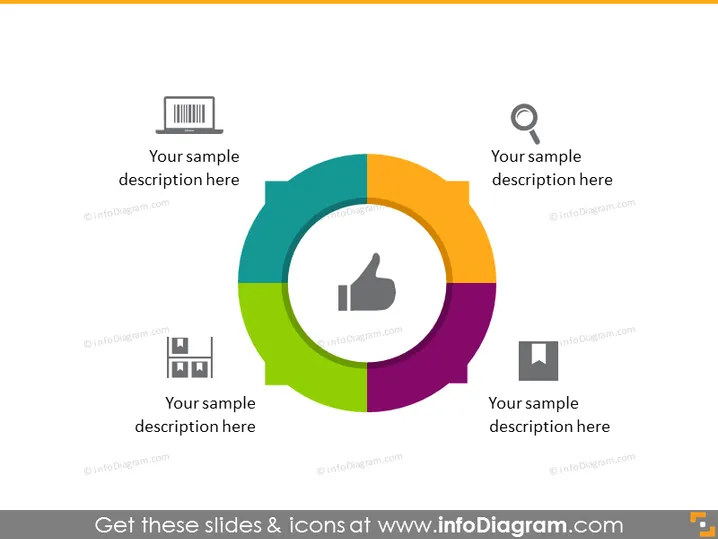
The PowerPoint slide features a circular diagram, divided into four colorful segments. Each segment has an icon and space for a description, suggesting the slide illustrates four related concepts or components of a single topic. The icons—a barcode, a magnifying glass, a thumbs-up, and a document—imply that the segments might represent stages or elements such as assessment, analysis, approval, and documentation.
Graphical Look
- The slide has a white background, providing a clean and neutral canvas.
- At the center, there is a circular diagram with four differently colored segments—green, blue, purple and orange.
- Each segment contains a distinctive grayscale icon: a barcode, a magnifying glass, a thumbs-up symbol, and a square with lines, resembling a document or page layout.
- Adjacent to each icon is a placeholder text labeled "Your sample description here" for adding specific details.
- The icons and text are set against a clean and modern design with a drop shadow effect, giving the diagram a three-dimensional appearance.
The slide has a modern and professional appearance. The color differentiation and icons make it very clear and visually appealing, facilitating the communication of different concepts or stages within a process.
Use Cases
- In a business presentation outlining the stages of a product lifecycle, from inception (barcode) to quality control (magnifying glass), endorsement (thumbs-up), and documentation (document icon).
- During a marketing strategy meeting to describe the process of product validation including analysis, customer feedback, and finalizing the marketing materials.
- In a project management workshop to demonstrate the progression through phases such as design, review, approval, and documentation stages.
- For explaining a quality control system in a manufacturing or supply chain presentation, associating each step with an icon for easy comprehension.
How to Edit
How to edit text & colors

How to expand / shorten diagram

How to Replace Icons in infoDiagram PPT


