Reviews
Your graphics add a nice touch to my presentations and I recently used them for one of my all-hands meetings. Your toolbox adds professionalism to my slides. Instead of using standard clipart.
I needed a fresh look at some of my slides. I've tried to find a way to create a paintbrush effect, to underline, accentuate, add some color and the handwritten markers were just the things. Very easy to use, easy to size, change the color. It was an affordable, perfect solution and I'm happy to recommend it.
The crisp, clean look of the graphics, and the fact that it allowed me to easily edit and change the colors to match the template was my main reason for purchasing them.
Description
Change
Slide Content
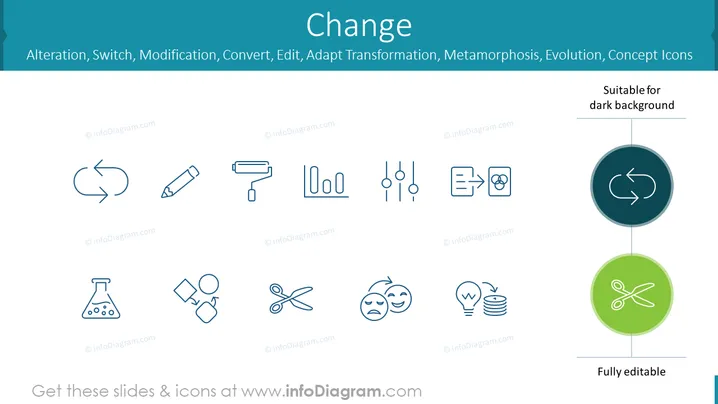
This slide is titled "Change" and presents a collection of icons representing different aspects of change including Alteration, Switch, Modification, Convert, Edit, Adaptation, Transformation, Metamorphosis, and Evolution. Each icon visually symbolizes these concepts. For instance, an arrow forming a circle denotes a cycle signifying "Switch" or "Transformation," a pencil indicates "Edit" or "Modification," and a pair of scissors reflects "Alteration" or "Cutting something out."
Graphical Look
- Light blue background with a darker blue sidebar on the left edge.
- Title "Change" is prominently displayed in large, dark text against the light blue background.
- A total of ten icons designed in a monochromatic light blue outline strategically placed across the slide.
- Two circular badges, one dark teal and one green, each highlighting a refresh icon and scissors icon respectively with the text "Suitable for dark background" and "Fully editable" adjacent to them.
Overall, the slide boasts a clean and professional design aesthetic with its monochromatic color scheme and uniform style of icons. The two circular badges add a splash of darker color that distinguishes them from the other graphics.
Use Cases
- To illustrate concepts of change and evolution in business transformation presentations.
- As visual aids in workshops focusing on process improvement or change management techniques.
- To symbolize various change-related actions in project management or strategy slides.
- When discussing innovation, development phases, or iterative processes in product design meetings.
How to Edit
How to edit text & colors

How to expand / shorten diagram

How to Replace Icons in infoDiagram PPT


