Reviews
Ihre Grafiken verleihen meinen Präsentationen eine nette Note, und ich habe sie kürzlich für eines meiner All-Hands-Meetings verwendet. Ihre Toolbox verleiht meinen Folien Professionalität, anstatt Standard-Clipart zu verwenden.
Ich brauchte einen neuen Blick auf einige meiner Folien. Ich habe versucht, einen Weg zu finden, einen Pinselschlag-Effekt zu erzielen, um zu unterstreichen, hervorzuheben, Farbe hinzuzufügen, und die handgeschriebenen Markierungen waren genau das Richtige. Sehr einfach zu bedienen, leicht in der Größe zu ändern, die Farbe zu ändern. Es war eine erschwingliche, perfekte Lösung und ich empfehle sie gerne weiter.
Die klare, saubere Optik der Grafiken und die Tatsache, dass ich die Farben leicht bearbeiten und an die Vorlage anpassen konnte, war mein Hauptgrund für den Kauf.
Description
Central List Diamond Diagram
Slide Content
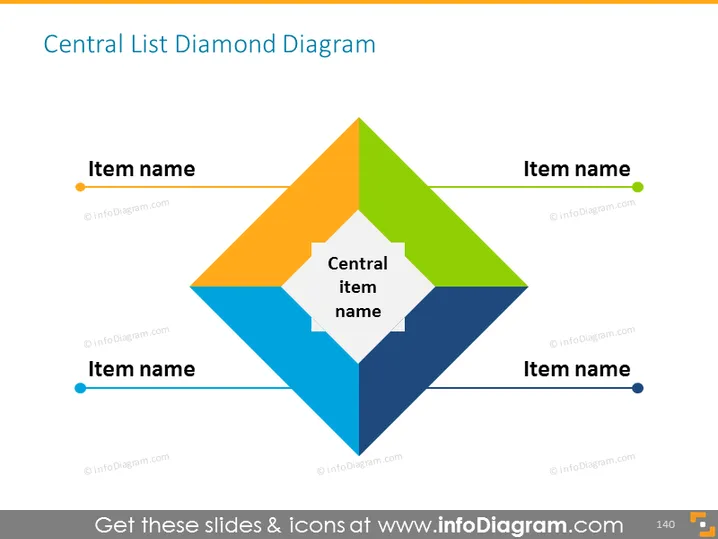
The slide presents a Central List Diamond Diagram which is a visual conceptual model. There are four peripheral items labeled "Item name", each presented in a different color (orange, green, blue, and dark blue), pointing towards a central item labeled "Central item name" depicted in white. This structure suggests a relationship or connectivity between the surrounding elements and the central item, implying that the surrounding items may contribute or relate to the central concept.
Graphical Look
- A large diamond-shaped figure composed of four smaller diamond shapes in orange, green, blue, and dark blue bands.
- A smaller white diamond shape is centered within the larger diamond, containing the text "Central item name".
- Text labels reading "Item name" aligned next to the corresponding colored bands of the larger diamond.
- Each "Item name" label has a color-coded dot matching the color of the adjacent diamond segment.
- No additional graphics or text are present beyond the diagram and its labels.
The slide uses bold colors and geometric shapes to draw attention to the relationships among items and the central concept. The design is clean and modern with a simple yet effective use of color-coding and alignment to emphasize the diagram's structure.
Use Cases
- Explaining core business strategies where the central item is the primary goal and the surrounding items are the contributing factors or tactics.
- Illustrating the structure of an organization, where the central item represents the main objective or vision, and the outer items signify different departments or roles.
- Presenting a product or service with the central item being the main value proposition and the peripheral items detailing the features or benefits.
- Conducting educational presentations to explain a concept with a central thesis and supporting arguments or evidence around it.
How to Edit
How to edit text & colors

How to expand / shorten diagram

How to Replace Icons in infoDiagram PPT


