Reviews
Sus gráficos añaden un toque agradable a mis presentaciones y recientemente los usé para una de mis reuniones generales. Su conjunto de herramientas añade profesionalismo a mis diapositivas. En lugar de usar imágenes prediseñadas estándar.
Necesitaba un aspecto fresco para algunas de mis diapositivas. Había intentado encontrar una forma de crear un efecto de pincel, de subrayar, acentuar, añadir algo de color y los marcadores escritos a mano fueron justo lo que necesitaba. Muy fácil de usar, fácil de ajustar el tamaño, cambiar el color. Fue una solución asequible y perfecta, y estoy feliz de recomendarla.
El aspecto nítido y limpio de los gráficos, y el hecho de que me permitiera editar y cambiar fácilmente los colores para que coincidieran con la plantilla fue mi principal razón para comprarlos.
Description
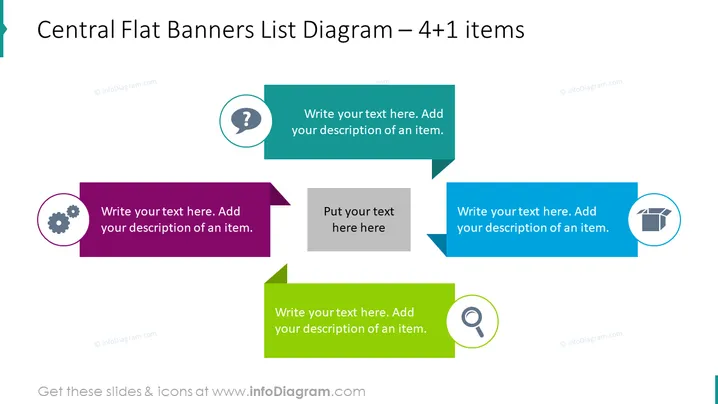
Central Flat Banners List Diagram – 4+1 items
Slide Content
The slide titled "Central Flat Banners List Diagram – 4+1 items" appears to be a template for presenting five key points or concepts. Each item has a dedicated banner with a unique color and an associated icon, suggesting that each one represents a different idea or step. The "+1" item at the top might be used to emphasize an overarching idea or a summary point relating to the other four items.
Graphical Look
- The slide's background is plain white, which makes the colored banners stand out.
- There are five flat-design banners with arrow-like shapes pointing towards a common center line.
- Each banner has a distinct color: dark turquoise, purple, gray, blue, and green.
- On the left and right sides of the slide, icons are enclosed in circles matching the banner colors: a gear icon for the purple banner, and a box icon for the blue banner.
- At the top center, a smaller banner in a circle has a question mark icon, and at the bottom center, a magnifying glass icon accompanies the green banner.
- Placeholder text is present in each banner for users to add their own content.
The slide design is simple and professional, with a clear focus on organizing content. The colorful banners are visually appealing and designed to direct attention to the central part of the slide.
Use Cases
- Presenting a business strategy with 4 key tactics and an overarching goal or question.
- Highlighting a set of product features with a central value proposition at the top.
- Organizing a project plan into four main phases with a key objective highlighted.
- Illustrating a process with four steps and a central investigative or summary element.
How to Edit
How to edit text & colors

How to expand / shorten diagram

How to Replace Icons in infoDiagram PPT


