Reviews
Your graphics add a nice touch to my presentations and I recently used them for one of my all-hands meetings. Your toolbox adds professionalism to my slides. Instead of using standard clipart.
I needed a fresh look at some of my slides. I've tried to find a way to create a paintbrush effect, to underline, accentuate, add some color and the handwritten markers were just the things. Very easy to use, easy to size, change the color. It was an affordable, perfect solution and I'm happy to recommend it.
The crisp, clean look of the graphics, and the fact that it allowed me to easily edit and change the colors to match the template was my main reason for purchasing them.
Description
Capital Expenditures Budget Assumptions
Slide Content
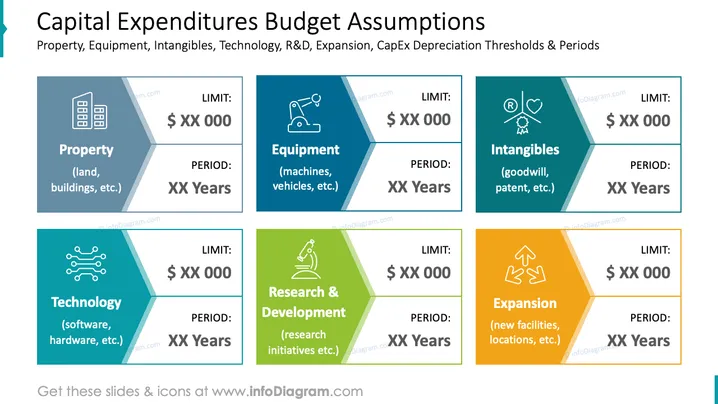
The PowerPoint slide presents the budget assumptions for different categories of capital expenditures: Property, Equipment, Intangibles, Technology, Research & Development, and Expansion. Each category is accompanied by two pieces of information: a financial 'LIMIT' and an operational 'PERIOD'. 'Property' refers to assets like land and buildings, 'Equipment' to items such as machines and vehicles, 'Intangibles' covers assets like goodwill and patents, 'Technology' pertains to software and hardware, 'Research & Development' involves research initiatives, and 'Expansion' entails acquiring new facilities or locations.
Graphical Look
- Six colored rectangular sections, each representing a category of capital expenditure.
- Each section contains an icon that corresponds to the expenditure category.
- The colors of the sections vary, with blue, teal, dark teal, light blue, green, and orange tones.
- White text is used within each colored section to denote the type of expenditure, the financial limit, and the operational period.
- The layout forms a hexagon with each section representing one side, converging towards the center.
- Diagonal lines separate each section with the icons and text aligned within their respective spaces.
The slide has a modern and corporate aesthetic with a clear, structured layout that aids in quick comprehension of the categories and associated data points. The use of distinct colors helps differentiate between the expenditure types.
Use Cases
- Presenting financial planning strategies in corporate meetings.
- Explaining budget allocation during a fiscal year review.
- Educating new employees or stakeholders about company investment practices.
- Reporting to investors or boards on capital expenditure policies and assumptions.
How to Edit
How to edit text & colors

How to expand / shorten diagram

How to Replace Icons in infoDiagram PPT


