Reviews
Your graphics add a nice touch to my presentations and I recently used them for one of my all-hands meetings. Your toolbox adds professionalism to my slides. Instead of using standard clipart.
I needed a fresh look at some of my slides. I've tried to find a way to create a paintbrush effect, to underline, accentuate, add some color and the handwritten markers were just the things. Very easy to use, easy to size, change the color. It was an affordable, perfect solution and I'm happy to recommend it.
The crisp, clean look of the graphics, and the fact that it allowed me to easily edit and change the colors to match the template was my main reason for purchasing them.
Description
CapEx Financial - Investments Management
Slide Content
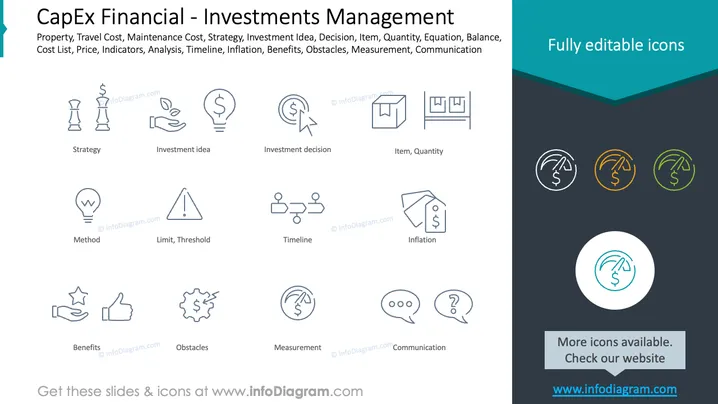
The slide presents a collection of symbols and phrases associated with capital expenditure financial management and investment management. The array of topics spans "Strategy" which means planning the approach to investments, "Investment idea" suggesting a concept for investment, "Investment decision" indicating the final choice regarding an investment opportunity, to "Inflation," which is the general rise in price levels and reduction in purchasing power. It includes procedural concepts like "Method" and "Timeline," as well as evaluative considerations such as "Benefits," "Obstacles," and "Measurement." There are also references to "Communication," stressing the importance of exchanging information, and "Limit, Threshold," hinting at setting boundaries or criteria for actions.
Graphical Look
- The slide uses a teal and dark blue color scheme.
- Icons are line drawings with a minimalist style, representing different investment-related concepts.
- Each icon is paired with a corresponding label, written in a simple sans-serif font.
- Icons are arranged in a grid pattern with three per row, evenly spaced across the slide.
- Icons include visual metaphors such as a lightbulb for "Investment idea" and thumbs up for "Benefits."
- The right section of the slide has a trio of the same icons in different colors (teal, orange, and green).
- There is a prominent circular icon at the bottom-right corner highlighted with a teal circle and white background.
The slide has a modern and clean look with cohesive iconography. It presents the information in a visually engaging manner using simple graphics and limited text, allowing for easy comprehension.
Use Cases
- Explaining capital expenditure and investment management concepts in a corporate finance training session.
- Using as a visual guide during strategic planning meetings where investment options are being evaluated.
- Providing a summary of investment considerations in an organizational budget meeting.
- Incorporating into a pitch presentation to outline the fundamental aspects of an investment proposal to potential stakeholders or investors.
How to Edit
How to edit text & colors

How to expand / shorten diagram

How to Replace Icons in infoDiagram PPT


