Reviews
Your graphics add a nice touch to my presentations and I recently used them for one of my all-hands meetings. Your toolbox adds professionalism to my slides. Instead of using standard clipart.
I needed a fresh look at some of my slides. I've tried to find a way to create a paintbrush effect, to underline, accentuate, add some color and the handwritten markers were just the things. Very easy to use, easy to size, change the color. It was an affordable, perfect solution and I'm happy to recommend it.
The crisp, clean look of the graphics, and the fact that it allowed me to easily edit and change the colors to match the template was my main reason for purchasing them.
Description
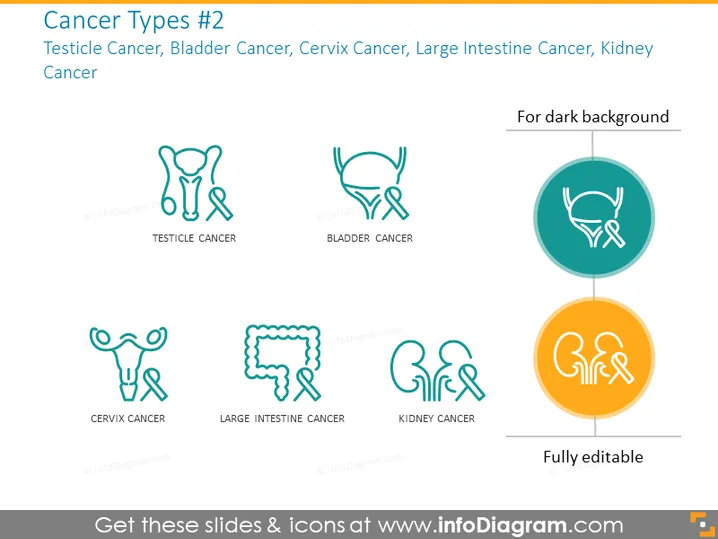
Cancer Types #2
Slide Content
The slide presents four different cancer types: Testicle Cancer, Bladder Cancer, Cervix Cancer, and Large Intestine Cancer. Each type is represented by a stylized icon that abstractly resembles the affected organ. Testicle Cancer might refer to malignancies originating from the testes. Bladder Cancer could be related to malignancies in the bladder's lining. Cervix Cancer implies malignancies at the entrance to the uterus. Large Intestine Cancer might include cancers found in the colon or rectal areas.
Graphical Look
- The slide background is light in color, likely white or a pale shade.
- Each cancer type is accompanied by an icon, outlined in teal, which is an artistic representation of the organ affected by the cancer.
- The icons are distributed evenly across the slide in a two-by-two grid formation.
- Under each icon, the type of cancer is identified in capitalized text, black font color, matching the icon's outline in style.
- Two icons, specifically for Bladder Cancer and Kidney Cancer, are encircled and have backgrounds – one teal, one orange, indicating suitability for a dark slide background.
- These encircled icons are placed toward the right of their non-encircled counterparts to show the contrast for usage on different slide backgrounds.
- At the bottom of the slide, there's a textual indicator "Fully editable" with a stylized pencil icon, implying that the slide's content can be modified.
The slide has a clean, modern design with a clear and organized layout. The use of icons helps in quickly conveying the type of cancers being discussed.
Use Cases
- Presenting healthcare information in a medical conference or seminar.
- Educating patients or medical staff about different types of cancers in a clinical setting.
- Utilizing in a research presentation to highlight cancer studies or statistical reports.
- Including in educational materials for students studying medicine, nursing, or public health .
How to Edit
How to edit text & colors

How to expand / shorten diagram

How to Replace Icons in infoDiagram PPT


