Reviews
Your graphics add a nice touch to my presentations and I recently used them for one of my all-hands meetings. Your toolbox adds professionalism to my slides. Instead of using standard clipart.
I needed a fresh look at some of my slides. I've tried to find a way to create a paintbrush effect, to underline, accentuate, add some color and the handwritten markers were just the things. Very easy to use, easy to size, change the color. It was an affordable, perfect solution and I'm happy to recommend it.
The crisp, clean look of the graphics, and the fact that it allowed me to easily edit and change the colors to match the template was my main reason for purchasing them.
Description
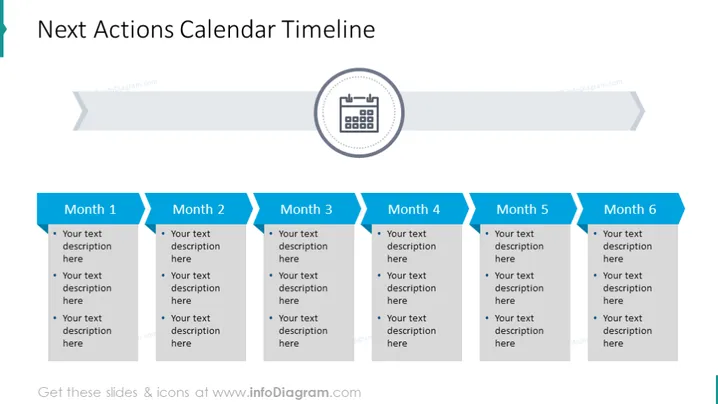
Next Actions Calendar Timeline
Slide Content
The slide titled 'Next Actions Calendar Timeline' illustrates a six-month planning strategy with editable text areas for each month. Each month is represented by a separate column, where specific actions or tasks can be detailed. These text placeholders under each month suggest where users can describe the activities or targets for that period, enabling a clear monthly action plan.
Graphical Look
- The slide background is white, creating a clean and professional appearance.
- At the top, there is a large title in dark blue text, which immediately draws attention.
- A calendar icon with circles symbolizing the days is placed on the right side, suggesting the theme of planning.
- Six dark blue header banners labeled from 'Month 1' to 'Month 6' are equally spaced across the slide.
- Under each month's banner, there is a text box with bullet points for detailed descriptions.
- Arrows with a gradient from dark to light blue are pointing right, indicating forward movement through the timeline.
- The visual composition is linear and organized, which reflects the sequential nature of the content.
The overall look of the slide is clean and structured, with a straightforward design that enhances readability and focus on the content.
Use Cases
- To present a project timeline and key milestones in business meetings.
- For outlining marketing campaign phases over a six-month period.
- As a visual aid during performance reviews to discuss future objectives and goals.
- In a strategic planning session to allocate resources and priorities over the upcoming months.
How to Edit
How to edit text & colors

How to expand / shorten diagram

How to Replace Icons in infoDiagram PPT


