Reviews
Sus gráficos añaden un toque agradable a mis presentaciones y recientemente los usé para una de mis reuniones generales. Su conjunto de herramientas añade profesionalismo a mis diapositivas. En lugar de usar imágenes prediseñadas estándar.
Necesitaba un aspecto fresco para algunas de mis diapositivas. Había intentado encontrar una forma de crear un efecto de pincel, de subrayar, acentuar, añadir algo de color y los marcadores escritos a mano fueron justo lo que necesitaba. Muy fácil de usar, fácil de ajustar el tamaño, cambiar el color. Fue una solución asequible y perfecta, y estoy feliz de recomendarla.
El aspecto nítido y limpio de los gráficos, y el hecho de que me permitiera editar y cambiar fácilmente los colores para que coincidieran con la plantilla fue mi principal razón para comprarlos.
Description
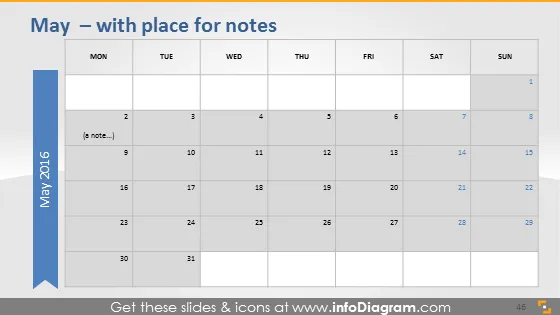
May — with place for notes
Slide Content
The slide displays a calendar for the month of May 2016, providing an overview with specific focus on the weekdays, starting from Monday through Sunday. Each date square is empty, signifying a place to fill in events or notes. There is a special emphasis on note-taking with a designated area on the left, indicating that the user can jot down additional details or key points relevant to the dates on the calendar.
Graphical Look
- The slide has a flat design with a muted color palette.
- At the top, there is a text box with the slide title in dark grey font.
- A monthly calendar grid is presented, featuring columns for each day of the week.
- Days of the week are labeled at the top of each column in bold, uppercase, sans-serif font.
- Dates are shown within each cell of the grid, aligned to the top right corner.
- There is a larger blue vertical band on the left with a white arrow indicating the progression of time.
- Inside the blue band, the year '2016' is written vertically in a lighter shade.
- A small text placeholder with a grey background is placed on the second day of the month for additional notes.
The overall look of the slide is clean and professional, well-suited for business or formal presentations. The color choices are subtle and easy on the eyes, providing a clear view of the calendar without unnecessary distractions.
Use Cases
- To plan and display company events, deadlines, or milestones for a specific month in business meetings.
- For project managers to outline project timelines and key deliverables in a visual format during project briefings.
- As part of a monthly report presentation to highlight important dates such as meetings, presentations, or company-wide activities.
- For use in educational environments, such as schools or universities, to plan and exhibit academic calendars, exam schedules, or holiday breaks.
How to Edit
How to edit text & colors

How to expand / shorten diagram

How to Replace Icons in infoDiagram PPT


