Reviews
Ihre Grafiken verleihen meinen Präsentationen eine nette Note, und ich habe sie kürzlich für eines meiner All-Hands-Meetings verwendet. Ihre Toolbox verleiht meinen Folien Professionalität, anstatt Standard-Clipart zu verwenden.
Ich brauchte einen neuen Blick auf einige meiner Folien. Ich habe versucht, einen Weg zu finden, einen Pinselschlag-Effekt zu erzielen, um zu unterstreichen, hervorzuheben, Farbe hinzuzufügen, und die handgeschriebenen Markierungen waren genau das Richtige. Sehr einfach zu bedienen, leicht in der Größe zu ändern, die Farbe zu ändern. Es war eine erschwingliche, perfekte Lösung und ich empfehle sie gerne weiter.
Die klare, saubere Optik der Grafiken und die Tatsache, dass ich die Farben leicht bearbeiten und an die Vorlage anpassen konnte, war mein Hauptgrund für den Kauf.
Description
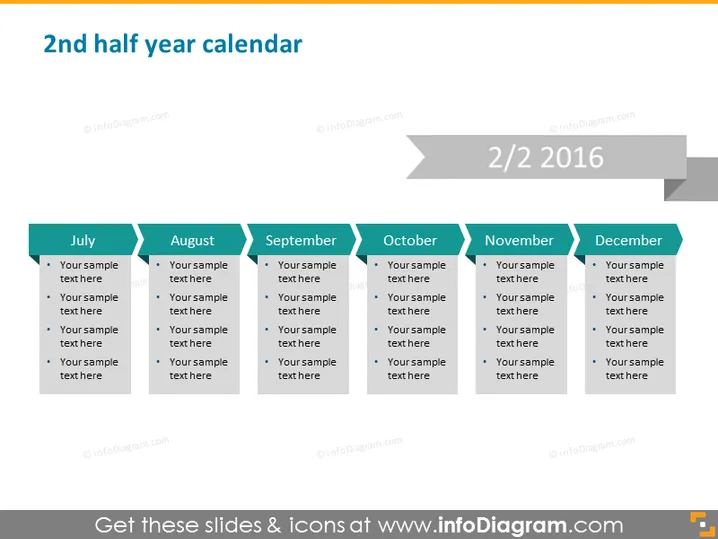
2nd half year calendar
Slide Content
The PowerPoint slide titled "2nd half year calendar" visually represents a six-month overview, from July to December. Each month features a colored tab that allows for insertion of details: bullet points wherein one can add specific text, tasks, or events for each month. This layout is useful for planning or summarizing activities and milestones achieved or scheduled, thus providing a clear mid to long-term outline or review.
Graphical Look
- The slide background is a light grey color.
- There are six colored tabs, each representing a month from July to December with darker shades towards the year-end.
- Each monthly tab contains bullet points for sample text entry.
- A dark grey arrow spans across the top, connecting the months and indicating progression through time.
- The slide includes a large numeral "2/2" and the year "2016" at the top right corner, suggesting this is the second slide in a series.
- There is a slight drop shadow effect on the monthly tabs, providing a sense of depth.
The slide is minimalist and uses a clear, easily readable sans-serif font. The color gradient across the tabs provides a visual representation of time passing through the second half of the year.
Use Cases
- Planning business and marketing strategies for the second half of the year.
- Outlining key dates, deadlines, and deliverables for projects spanning several months.
- Reviewing past performance, by month, to analyze trends and inform future decisions.
- Educational presentations to explain or highlight significant events within a term or semester.
How to Edit
How to edit text & colors

How to expand / shorten diagram

How to Replace Icons in infoDiagram PPT


