

Your graphics add a nice touch to my presentations and I recently used them for one of my all-hands meetings. Your toolbox adds professionalism to my slides. Instead of using standard clipart.
Claude Jones, Director of Engineer, @Walmartlabs, USA

Your graphics add a nice touch to my presentations and I recently used them for one of my all-hands meetings. Your toolbox adds professionalism to my slides. Instead of using standard clipart.
Claude Jones, Director of Engineer, @Walmartlabs, USA
I needed a fresh look at some of my slides. I've tried to find a way to create a paintbrush effect, to underline, accentuate, add some color and the handwritten markers were just the things. Very easy to use, easy to size, change the color. It was an affordable, perfect solution and I'm happy to recommend it.
Anonymous, US
The crisp, clean look of the graphics, and the fact that it allowed me to easily edit and change the colors to match the template was my main reason for purchasing them.
Brandie Jenkins, E-learning Developer, USA
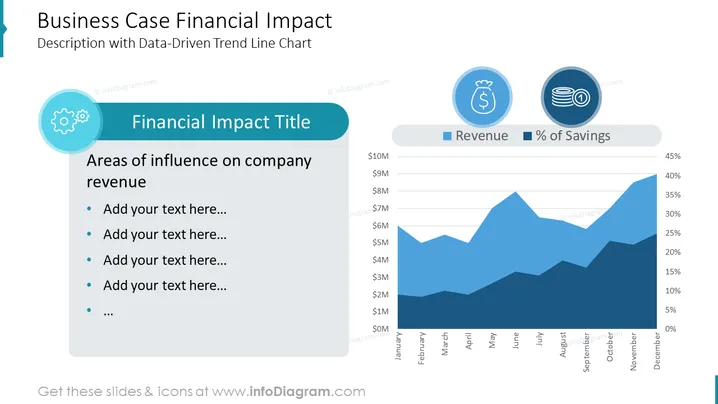
The slide is titled "Business Case Financial Impact" and is described as containing a "Description with Data-Driven Trend Line Chart." It presents a dual-axis line chart tracking "Revenue" and "Percentage of Savings" over a twelve-month period. Alongside the chart is a section headlined "Financial Impact Title," which invites the presenter to list "Areas of influence on company revenue." There are placeholder text bullets suggesting where additional details can be added.
The slide has a professional and clean design with a color theme centralizing around shades of blue and teal. The graph is the focal point, complemented by financial icons and coordinated color block sections for text.



