Reviews
Your graphics add a nice touch to my presentations and I recently used them for one of my all-hands meetings. Your toolbox adds professionalism to my slides. Instead of using standard clipart.
I needed a fresh look at some of my slides. I've tried to find a way to create a paintbrush effect, to underline, accentuate, add some color and the handwritten markers were just the things. Very easy to use, easy to size, change the color. It was an affordable, perfect solution and I'm happy to recommend it.
The crisp, clean look of the graphics, and the fact that it allowed me to easily edit and change the colors to match the template was my main reason for purchasing them.
Description
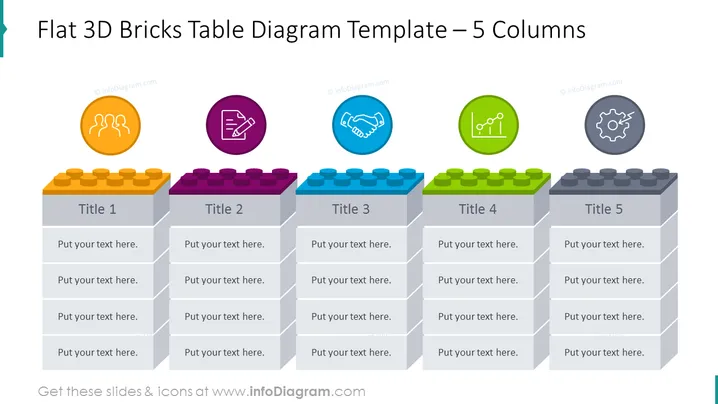
Flat 3D Bricks Table Diagram Template – 5 Columns
Slide Content
The slide presents a table diagram with five columns, each resembling a stack of 3D bricks in unique colors. Each stack represents a different concept titled 'Title 1' to 'Title 5'. Corresponding to each title stack, there are spaces for text, allowing the presenter to elaborate on points under each heading. These points could represent stages, ideas, or components that contribute to a larger concept or project.
Graphical Look
- Five brick stacks are arranged side by side in varied colors—orange, purple, blue, green, and gray.
- Each column has a placeholder for a title and multiple text placeholders for detailed points.
- Above each column, there is a circular icon with its own unique symbol—three arcs with dots, a pen and ruler forming an X, a handshaking, a chart with lines, and a gear symbol. These likely represent different themes or functions.
- The brick stacks have a three-dimensional appearance, casting subtle shadows on the bricks below.
- The background is white, which highlights the colorful bricks and icons.
The overall look of the slide is modern and colorful. The 3D bricks and bright icons are visually engaging, making the content easy to distinguish at a glance.
Use Cases
- To present a business model or strategy that consists of five key components or stages.
- For an educational presentation where each brick column represents a topic that needs further elaboration.
- In marketing, to showcase the features and benefits of a product across five distinct categories.
- For project management, to outline the five main phases of a project, from inception to completion.
How to Edit
How to edit text & colors

How to expand / shorten diagram

How to Replace Icons in infoDiagram PPT


