Reviews
Your graphics add a nice touch to my presentations and I recently used them for one of my all-hands meetings. Your toolbox adds professionalism to my slides. Instead of using standard clipart.
I needed a fresh look at some of my slides. I've tried to find a way to create a paintbrush effect, to underline, accentuate, add some color and the handwritten markers were just the things. Very easy to use, easy to size, change the color. It was an affordable, perfect solution and I'm happy to recommend it.
The crisp, clean look of the graphics, and the fact that it allowed me to easily edit and change the colors to match the template was my main reason for purchasing them.
Description
Brainstorming time
Slide Content
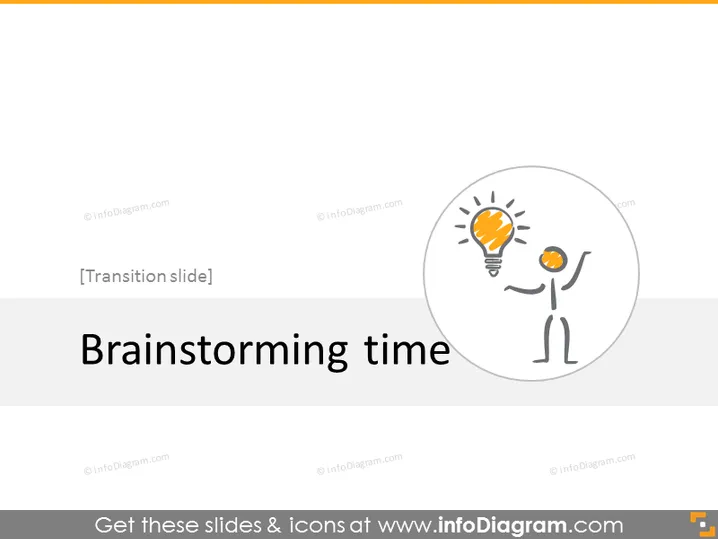
The PowerPoint slide is titled "Brainstorming time," signifying a transition moment in a presentation where participants are likely encouraged to engage in a brainstorming session. The session could involve generating innovative ideas, discussing new project strategies, or finding solutions to problems. Brainstorming is a collaborative process where team members contribute creative thoughts and suggestions.
Graphical Look
- The title "Brainstorming time" is prominently displayed in large, bold, and dark-colored text centered in the upper third of the slide.
- A graphical representation of a person with a light bulb for a head appears inside a light gray circle to their right.
- The light bulb emits a glow, capturing the essence of an idea or a moment of inspiration.
- The graphical person appears to have one arm extended upwards towards the light bulb, perhaps to signify reaching for ideas or insights.
- The background of the slide is a neutral light gray, ensuring that the text and icon stand out clearly.
- The graphical objects employ simple lines and a minimalistic style to maintain a clean and professional appearance.
The slide has a modern and straightforward design, with a clear focus on the title and icon that represents the concept of brainstorming. The design elements are kept minimal to avoid distraction and keep the audience focused on the central theme of generating ideas.
Use Cases
- To transition between presentation topics, particularly before a creative problem-solving session.
- During a workshop or team-building event to prompt participants to begin an idea generation exercise.
- In a strategy or project meeting to signal the start of an open discussion aimed at gathering team input and suggestions.
- As an introduction to an innovation-focused agenda, where the goal is to explore new concepts or initiatives.
How to Edit
How to edit text & colors

How to expand / shorten diagram

How to Replace Icons in infoDiagram PPT


