Reviews
Sus gráficos añaden un toque agradable a mis presentaciones y recientemente los usé para una de mis reuniones generales. Su conjunto de herramientas añade profesionalismo a mis diapositivas. En lugar de usar imágenes prediseñadas estándar.
Necesitaba un aspecto fresco para algunas de mis diapositivas. Había intentado encontrar una forma de crear un efecto de pincel, de subrayar, acentuar, añadir algo de color y los marcadores escritos a mano fueron justo lo que necesitaba. Muy fácil de usar, fácil de ajustar el tamaño, cambiar el color. Fue una solución asequible y perfecta, y estoy feliz de recomendarla.
El aspecto nítido y limpio de los gráficos, y el hecho de que me permitiera editar y cambiar fácilmente los colores para que coincidieran con la plantilla fue mi principal razón para comprarlos.
Description
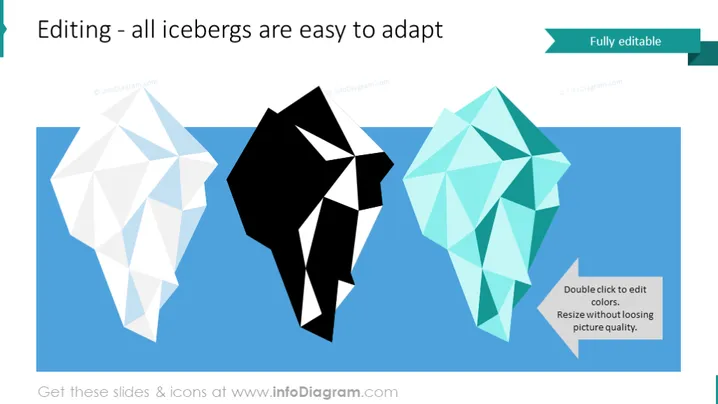
Editing - all icebergs are easy to adapt
Slide Content
The slide seems centered around customization and adaptability, using the metaphor of icebergs to illustrate elements that can be modified. Each iceberg graphic likely represents a concept or a component that can be easily changed according to the user's needs. The accompanying text reinforces the idea that each element is "Fully editable," signifying that the user can double-click to change colors and resize without losing image quality.
Graphical Look
- Three stylized iceberg polygons in white, black, and turquoise colors, appearing to float on a blue background which likely represents water.
- A dark green rectangular shape in the upper right corner with the text "Fully editable" in white, contrasting with the slide's overall color theme.
- A textbox with white background, repeating "Fully editable" and providing additional instructions: "Double click to edit colors. Resize without loosing picture quality."
- A lighter blue palette for the slide background, which is soothing to the eyes and complements the iceberg graphics.
- The use of drop shadows behind the icebergs adds a sense of depth to the graphics.
The slide has a clean, modern look with a minimalistic design. The ample negative space around the objects ensures the viewer's focus remains on the editable iceberg elements.
Use Cases
- Introducing customizable features of a software or digital product.
- Demonstrating the flexibility and adaptability of a service or solution.
- During workshops or tutorials on editing or personalizing digital content.
- In a marketing or sales presentation to highlight the ease of customizing a product to suit diverse customer needs.
How to Edit
How to edit text & colors

How to expand / shorten diagram

How to Replace Icons in infoDiagram PPT


