Reviews
Your graphics add a nice touch to my presentations and I recently used them for one of my all-hands meetings. Your toolbox adds professionalism to my slides. Instead of using standard clipart.
I needed a fresh look at some of my slides. I've tried to find a way to create a paintbrush effect, to underline, accentuate, add some color and the handwritten markers were just the things. Very easy to use, easy to size, change the color. It was an affordable, perfect solution and I'm happy to recommend it.
The crisp, clean look of the graphics, and the fact that it allowed me to easily edit and change the colors to match the template was my main reason for purchasing them.
Description
Scrum Icons: Artefacts 1
Slide Content
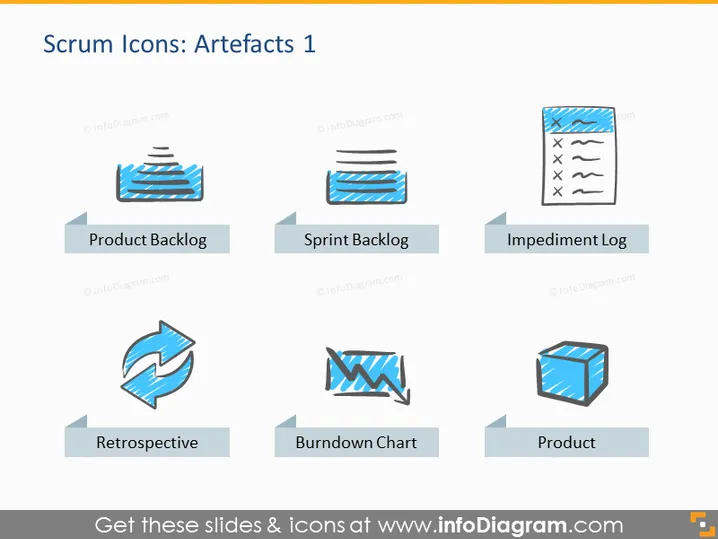
The slide is titled "Scrum Icons: Artefacts 1" and it illustrates various components involved in the Scrum Agile framework. These include the "Product Backlog," a prioritized list of work for the development team; the "Sprint Backlog," a list of tasks to be completed during the sprint; the "Impediment Log," a record of obstacles that could slow down the team; the "Retrospective," a meeting to discuss what went well and what could be improved; the "Burndown Chart," a graphical representation of work left to do versus time; and the "Product," the final deliverable of the Scrum process.
Graphical Look
- The slide has a clean white background.
- All six icons are styled in a similar hand-drawn sketch manner using a green and black color palette.
- Each icon is accompanied by a label placed underneath it within a light gray ribbon banner shape.
- The icons and associated text are arranged in a two-row, three-column grid format.
- Icons represent their respective concepts: a stack of papers for backlogs, a circular arrow for retrospective, a downward trending chart for the burndown chart, and a 3D cube for the product.
The slide has a professional and minimalist design with a consistent artistic theme across all the scrum artifacts represented. The use of simple, recognizable icons gives a quick visual cue for each scrum concept.
Use Cases
- During a Scrum training session to explain the different types of artifacts used in Agile project management.
- In team meetings, to reinforce the distinct roles and tools in a Scrum process.
- As part of an Agile transformation presentation to introduce employees to Scrum methodologies.
- Within a Scrum Master's toolkit, to visually represent Scrum concepts during sprint planning or review sessions.
How to Edit
How to edit text & colors

How to expand / shorten diagram

How to Replace Icons in infoDiagram PPT


