

Your graphics add a nice touch to my presentations and I recently used them for one of my all-hands meetings. Your toolbox adds professionalism to my slides. Instead of using standard clipart.
Claude Jones, Director of Engineer, @Walmartlabs, USA

Your graphics add a nice touch to my presentations and I recently used them for one of my all-hands meetings. Your toolbox adds professionalism to my slides. Instead of using standard clipart.
Claude Jones, Director of Engineer, @Walmartlabs, USA
I needed a fresh look at some of my slides. I've tried to find a way to create a paintbrush effect, to underline, accentuate, add some color and the handwritten markers were just the things. Very easy to use, easy to size, change the color. It was an affordable, perfect solution and I'm happy to recommend it.
Anonymous, US
The crisp, clean look of the graphics, and the fact that it allowed me to easily edit and change the colors to match the template was my main reason for purchasing them.
Brandie Jenkins, E-learning Developer, USA
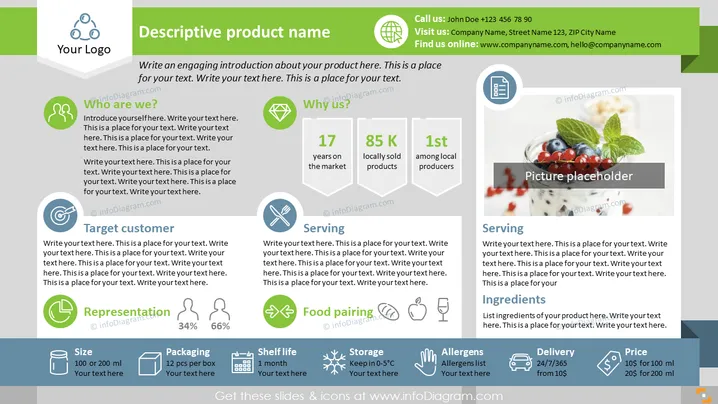
The PowerPoint slide is designed for a product overview, including various elements such as an introduction, company identity, product strengths, and details about the offering. "Who are we?" likely details the company background. "Why us?" emphasizes competitive advantages like years in the market, local sales, and rankings. "Target customer" identifies the intended demographic. "Representation" shows a percentage breakdown, possibly of market share or customer segmentation. "Size," "Packaging," "Shelf life," "Storage," and "Allergens" provide specific product details. "Serving," "Food pairing," and "Ingredients" suggest usage and dietary information. Finally, "Delivery" and "Price" offer logistical and pricing details.
The overall look of the slide is modern and clean, with a professional color scheme and clear segmentation of information. The use of icons and infographics adds visual appeal and facilitates quick comprehension of the slide's content.



