Reviews
Sus gráficos añaden un toque agradable a mis presentaciones y recientemente los usé para una de mis reuniones generales. Su conjunto de herramientas añade profesionalismo a mis diapositivas. En lugar de usar imágenes prediseñadas estándar.
Necesitaba un aspecto fresco para algunas de mis diapositivas. Había intentado encontrar una forma de crear un efecto de pincel, de subrayar, acentuar, añadir algo de color y los marcadores escritos a mano fueron justo lo que necesitaba. Muy fácil de usar, fácil de ajustar el tamaño, cambiar el color. Fue una solución asequible y perfecta, y estoy feliz de recomendarla.
El aspecto nítido y limpio de los gráficos, y el hecho de que me permitiera editar y cambiar fácilmente los colores para que coincidieran con la plantilla fue mi principal razón para comprarlos.
Description
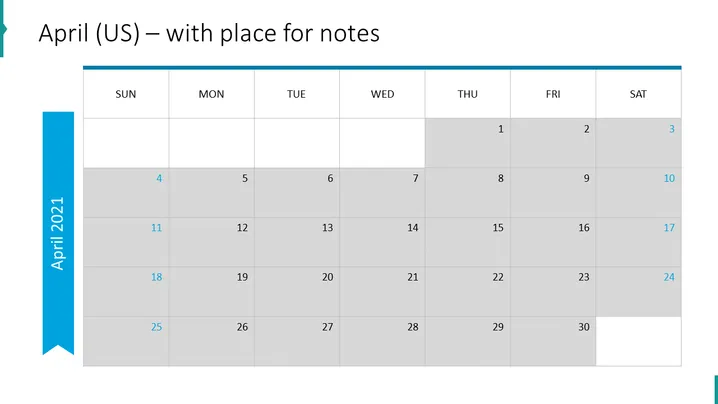
April (US) – with place for notes
Slide Content
The slide presents a monthly calendar for April in a US time format which includes a space for notes. The days of the week are laid out from Sunday to Saturday at the top. The calendar is divided into weeks with rows denoting weeks and columns for days, emphasizing its use for planning and scheduling. Shaded and white boxes alternate to visually separate the weeks.
Graphical Look
- The slide background is plain white.
- At the top, there is a large, bold, blue title text "April (US) – with place for notes."
- The days of the week are listed horizontally at the top in grey text boxes with a light blue top border.
- Dates are presented in a grid format, with rows representing weeks. Alternating rows have a shaded background for contrast.
- Each date is placed within a white or shaded box, aligned to the upper right corner.
- There is a vertical blue ribbon on the left side of the slide with text "April 2021" rotated vertically.
- The horizontal grid lines are light grey, while the vertical grid lines are slightly darker for definition.
The slide is designed with simplicity and clarity in mind, featuring a professional color scheme of blues and greys. The calendar grid is functional and easy to read, with an emphasis on visual differentiation between weeks.
Use Cases
- To outline important dates and deadlines in a business project timeline.
- To note scheduling for a series of events or appointments in a corporate setting.
- To share a monthly planning calendar with a team, providing a snapshot of the month ahead.
- To track progress against milestones over the course of the month in management meetings or team briefings.
How to Edit
How to edit text & colors

How to expand / shorten diagram

How to Replace Icons in infoDiagram PPT


