Reviews
Your graphics add a nice touch to my presentations and I recently used them for one of my all-hands meetings. Your toolbox adds professionalism to my slides. Instead of using standard clipart.
I needed a fresh look at some of my slides. I've tried to find a way to create a paintbrush effect, to underline, accentuate, add some color and the handwritten markers were just the things. Very easy to use, easy to size, change the color. It was an affordable, perfect solution and I'm happy to recommend it.
The crisp, clean look of the graphics, and the fact that it allowed me to easily edit and change the colors to match the template was my main reason for purchasing them.
Description
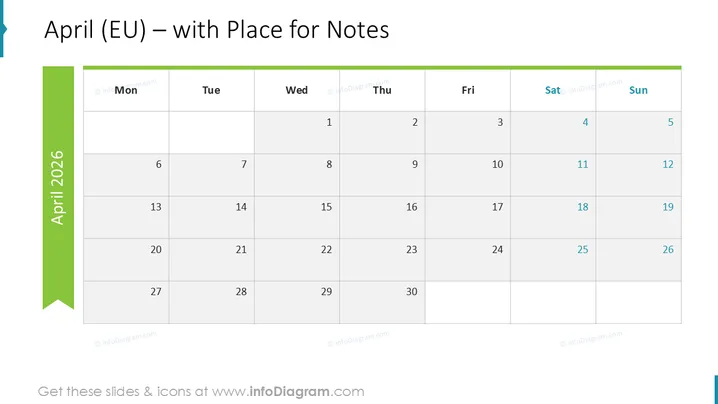
April (EU) – with Place for Notes
Slide Content
The slide presents a monthly calendar for April, in a European format, with a dedicated area for notes. Each week starts with Monday and ends on Sunday, adhering to a common European convention. The slide allows for annotations or events to be marked on specific dates due to the generous cells under each day. The "with Place for Notes" suggests additional space for more detailed plans or remarks that may accompany the calendar dates.
Graphical Look
- A large teal banner runs vertically along the left side featuring the text "April 2026 ."
- The days of the week are labeled horizontally at the top starting with Monday and ending with Sunday, with Saturday and Sunday highlighted in a darker shade.
- The date cells are arranged in a classic grid format for the month, with empty cells representing days outside of April.
- The current month is prominently displayed at the top in a large font with "(EU)" to clarify the European calendar format.
- The overall color scheme consists of shades of blue, with teal, light blue, and dark blue used throughout.
The slide has a clean and professional appearance, with a color scheme that is calm and focused. The design is simple and functional, clearly displaying the calendar with ease of readability.
Use Cases
- Planning corporate schedules, highlighting important business meetings, project milestones, or deadlines within a given month.
- Sharing monthly agendas or event calendars during company-wide presentations or team meetings.
- Accommodating space for collaborative noting of important dates during a live presentation or meeting.
- Displaying academic or project timelines in educational or training settings where a monthly overview is required.
How to Edit
How to edit text & colors

How to expand / shorten diagram

How to Replace Icons in infoDiagram PPT


