

Your graphics add a nice touch to my presentations and I recently used them for one of my all-hands meetings. Your toolbox adds professionalism to my slides. Instead of using standard clipart.
Claude Jones, Director of Engineer, @Walmartlabs, USA

Your graphics add a nice touch to my presentations and I recently used them for one of my all-hands meetings. Your toolbox adds professionalism to my slides. Instead of using standard clipart.
Claude Jones, Director of Engineer, @Walmartlabs, USA
I needed a fresh look at some of my slides. I've tried to find a way to create a paintbrush effect, to underline, accentuate, add some color and the handwritten markers were just the things. Very easy to use, easy to size, change the color. It was an affordable, perfect solution and I'm happy to recommend it.
Anonymous, US
The crisp, clean look of the graphics, and the fact that it allowed me to easily edit and change the colors to match the template was my main reason for purchasing them.
Brandie Jenkins, E-learning Developer, USA
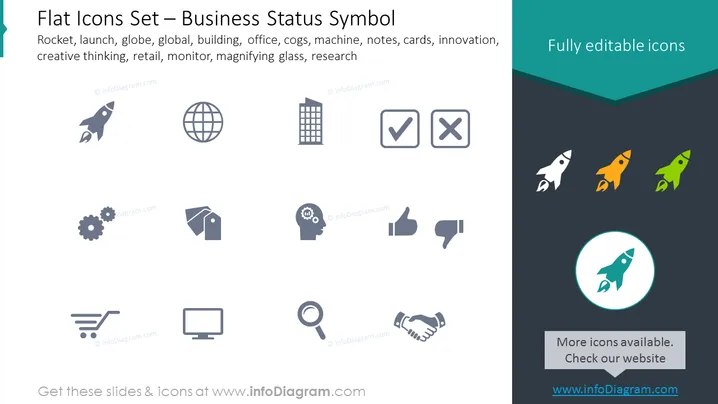
This PowerPoint slide showcases a collection of flat icons related to business concepts and statuses. The icons include a rocket signifying launch or rapid growth; a globe for global reach or international presence; a building representing an office or corporate environment; cogs implying machinery or processes; a tag for retail or sales; a head with a gear symbolizing creative thinking or innovation; a shopping cart for retail or e-commerce; a computer monitor for technology or data display; a magnifying glass indicating research or analysis; check and cross symbols for approval or disapproval; thumbs up and down for positive or negative feedback; and a handshake for partnership or agreement. Each icon is a visual representation of a business concept, making the slide useful for a variety of presentations.
The slide has a clean, modern design with easy-to-interpret icons displayed in a symmetrical layout. The contrast between the monochrome icons in the main section and the colorful icons in the dark background creates visual interest.



