Reviews
Sus gráficos añaden un toque agradable a mis presentaciones y recientemente los usé para una de mis reuniones generales. Su conjunto de herramientas añade profesionalismo a mis diapositivas. En lugar de usar imágenes prediseñadas estándar.
Necesitaba un aspecto fresco para algunas de mis diapositivas. Había intentado encontrar una forma de crear un efecto de pincel, de subrayar, acentuar, añadir algo de color y los marcadores escritos a mano fueron justo lo que necesitaba. Muy fácil de usar, fácil de ajustar el tamaño, cambiar el color. Fue una solución asequible y perfecta, y estoy feliz de recomendarla.
El aspecto nítido y limpio de los gráficos, y el hecho de que me permitiera editar y cambiar fácilmente los colores para que coincidieran con la plantilla fue mi principal razón para comprarlos.
Description
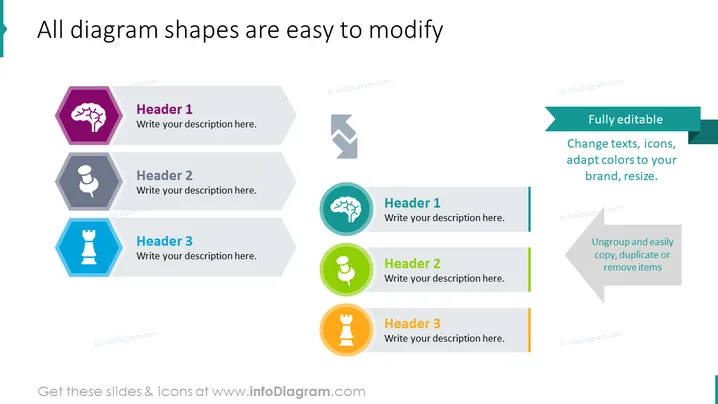
All diagram shapes are easy to modify
Slide Content
The PowerPoint slide presents a concept that all diagram shapes can be easily modified, offering customization options such as fully editable text, icons, colors, and size. Each item includes a header labeled "Header 1", "Header 2", or "Header 3" with a placeholder text for a description. These are meant to provide examples of how you can adapt slide elements to your brand, demonstrating the abilities to change texts, icons, adapt colors to your brand, resize, ungroup, and easily copy, duplicate or remove items.
Graphical Look
- The slide background is white with two groups of hexagon-shaped graphics, each comprised of three hexagons.
- Each hexagon is paired with a color-coded title and description area to its right.
- The left group of hexagons is in shades of purple, grey, and blue; the right group in teal, green, and orange.
- Simple icons (a brain, a person, and a chess piece) are centered within each hexagon.
- Two larger rectangular banners on the right highlight the customization features of the diagrams with contrasting colors and arrow graphics connecting them to the rest of the elements.
- A thin, colored line extends from each hexagon, visually connecting it to its corresponding banner.
The slide has a clean and professional appearance, with a balanced mix of shapes and icons that enhance visual interest. The layout is symmetrical with a clear focus on demonstrating the editability of the presentation elements.
Use Cases
- Demonstrating customization options of a PowerPoint template during a sales pitch for presentation design services.
- Training employees on how to modify and personalize company presentations to maintain brand consistency.
- Introducing a new marketing campaign where each aspect of the campaign is represented by one easily modifiable element.
- Showcasing software features or updates in a tech company's product presentation where each feature can be edited or customized.
How to Edit
How to edit text & colors

How to expand / shorten diagram

How to Replace Icons in infoDiagram PPT


