Reviews
Your graphics add a nice touch to my presentations and I recently used them for one of my all-hands meetings. Your toolbox adds professionalism to my slides. Instead of using standard clipart.
I needed a fresh look at some of my slides. I've tried to find a way to create a paintbrush effect, to underline, accentuate, add some color and the handwritten markers were just the things. Very easy to use, easy to size, change the color. It was an affordable, perfect solution and I'm happy to recommend it.
The crisp, clean look of the graphics, and the fact that it allowed me to easily edit and change the colors to match the template was my main reason for purchasing them.
Description
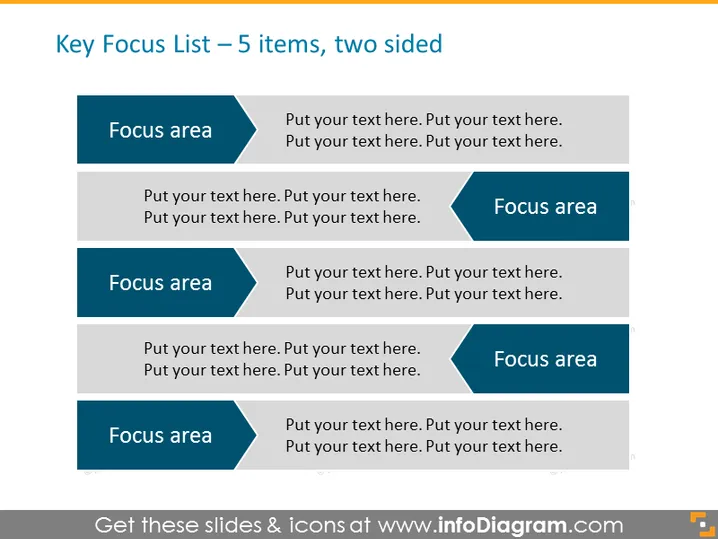
Key Focus List – 5 items, two sided
Slide Content
The slide is designed to present a "Key Focus List" with five focus areas, each one on either side of the slide, indicating a comparison or correlation between the items. There are placeholders for the focus area names and for descriptive text that allows the presenter to expand upon each focus area. The structure encourages organization and clarity when discussing related concepts or priorities that have a duality or require a balanced examination.
Graphical Look
- A dark blue header spanning the top of the slide with white text for the slide's title.
- Five pairs of horizontal dark blue rectangles, each labeled "Focus area" in white font on the left side of the slide.
- Inside each pair, opposite the dark blue rectangle, is a light blue arrowhead pointing towards a rectangular text box intended for descriptions.
- Each text box accompanying the arrowheads contains placeholder text in a lighter shade of blue.
The slide has a symmetric, balanced design with arrow-shaped bullet points that create a visual link between the focus areas and the supplementary information. The contrasting blues and distinct text boxes facilitate readability and focus attention on the content of the presentation.
Use Cases
- Strategic business meetings to outline key areas of focus for project planning and team alignment.
- Marketing presentations to compare different aspects of a campaign strategy.
- Skill development or training sessions where key competencies and their descriptions can be outlined side by side.
- Financial reviews to compare budget areas or financial goals with respect to various departments or initiatives.
How to Edit
How to edit text & colors

How to expand / shorten diagram

How to Replace Icons in infoDiagram PPT


