Reviews
Sus gráficos añaden un toque agradable a mis presentaciones y recientemente los usé para una de mis reuniones generales. Su conjunto de herramientas añade profesionalismo a mis diapositivas. En lugar de usar imágenes prediseñadas estándar.
Necesitaba un aspecto fresco para algunas de mis diapositivas. Había intentado encontrar una forma de crear un efecto de pincel, de subrayar, acentuar, añadir algo de color y los marcadores escritos a mano fueron justo lo que necesitaba. Muy fácil de usar, fácil de ajustar el tamaño, cambiar el color. Fue una solución asequible y perfecta, y estoy feliz de recomendarla.
El aspecto nítido y limpio de los gráficos, y el hecho de que me permitiera editar y cambiar fácilmente los colores para que coincidieran con la plantilla fue mi principal razón para comprarlos.
Description
##Slide content:
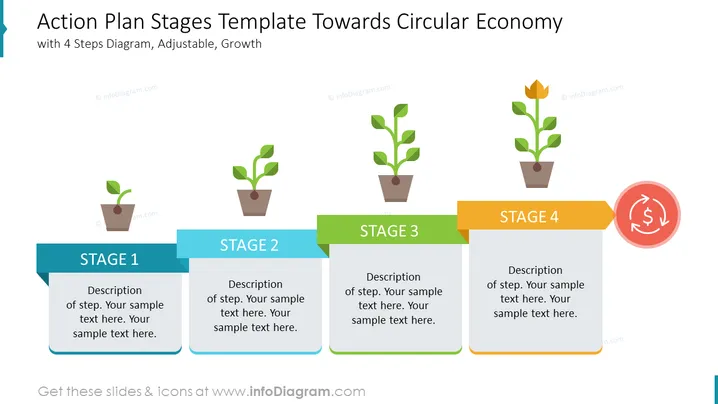
This circular economy action plan slide is presented with a four-stage process. If you are working on a sustainable economy project, with this PowerPoint template you can explain the steps that need to be done for managing waste such as plastic and other pollutants. The circular economy is a very important action that needs to be taken in order to achieve economic growth. We have visualized it with a plant growing process. Planting would be the first step where you describe your first course of action, up to the final growth of the plant as the final step. All the graphics are editable, and the slide is compatible with Google Slides and Keynote too. If you are working in education or NGO, contact us to get this presentation for free.
##Slide infographic description:
White Background, Growing Plant Vector, Colorful Arrow-Shaped Ribbon Banner, Text Block, ROI Icon
How to Edit
How to edit text & colors

How to expand / shorten diagram

How to Replace Icons in infoDiagram PPT


