Reviews
Your graphics add a nice touch to my presentations and I recently used them for one of my all-hands meetings. Your toolbox adds professionalism to my slides. Instead of using standard clipart.
I needed a fresh look at some of my slides. I've tried to find a way to create a paintbrush effect, to underline, accentuate, add some color and the handwritten markers were just the things. Very easy to use, easy to size, change the color. It was an affordable, perfect solution and I'm happy to recommend it.
The crisp, clean look of the graphics, and the fact that it allowed me to easily edit and change the colors to match the template was my main reason for purchasing them.
Description
Outline Ancient Pillars Template with 7 Columns
Slide Content
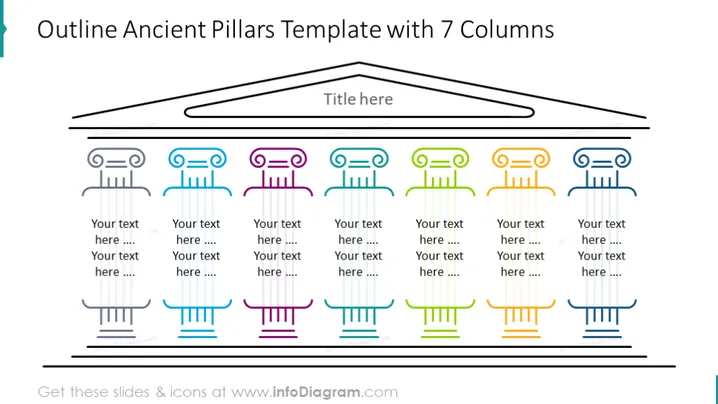
The slide titled "Outline Ancient Pillars Template with 7 Columns" displays a creative representation of seven columns meant to symbolize foundational ideas or concepts. Each pillar has a different color and an icon atop it, corresponding to the theme of the idea it represents. Below each pillar, there are placeholders for text where further details about each concept can be elaborated upon. This layout helps in organizing information in a visually appealing manner that also contributes to the cohesion and retention of the content presented.
Graphical Look
- The slide background is white, providing a clean, unobtrusive canvas for the other visual elements.
- A large, stylized drawing of an arch spans the top of the slide, with the slide title "Title here" positioned centrally just below the arch.
- Below the arch, there are seven ancient Greek column outlines (ionic columns), each a different color: gray, blue, pink, light blue, green, orange, and dark blue.
- Atop each column, a simple icon is set within a circular outline, each matching the column’s color. The icons suggest various themes, such as communication, analysis, creativity, and technology.
- Text placeholders labeled "Your text here ...." sit below each column, indicating where descriptions should be added.
- All elements are arranged symmetrically, which creates a balanced and harmonious visual composition.
The overall look of the slide is sophisticated and thematic, utilizing a motif of ancient pillars to metaphorically convey strength, stability, or foundational elements. The use of color-coded columns with corresponding icons adds to the visual interest and can help with memorization or grouping of information.
Use Cases
- To present a company’s core values or principles in an engaging manner, with each pillar symbolizing a different value.
- In educational settings, to illustrate different pillars of a subject or theory and provide keynotes or summaries for each.
- For project management presentations, to explain the foundational components of a project plan or framework, with each column representing a critical element of the plan.
- As part of a marketing strategy presentation to outline the key aspects of brand identity or product features that the company wants to emphasize.
How to Edit
How to edit text & colors

How to expand / shorten diagram

How to Replace Icons in infoDiagram PPT


