Reviews
Your graphics add a nice touch to my presentations and I recently used them for one of my all-hands meetings. Your toolbox adds professionalism to my slides. Instead of using standard clipart.
I needed a fresh look at some of my slides. I've tried to find a way to create a paintbrush effect, to underline, accentuate, add some color and the handwritten markers were just the things. Very easy to use, easy to size, change the color. It was an affordable, perfect solution and I'm happy to recommend it.
The crisp, clean look of the graphics, and the fact that it allowed me to easily edit and change the colors to match the template was my main reason for purchasing them.
Description
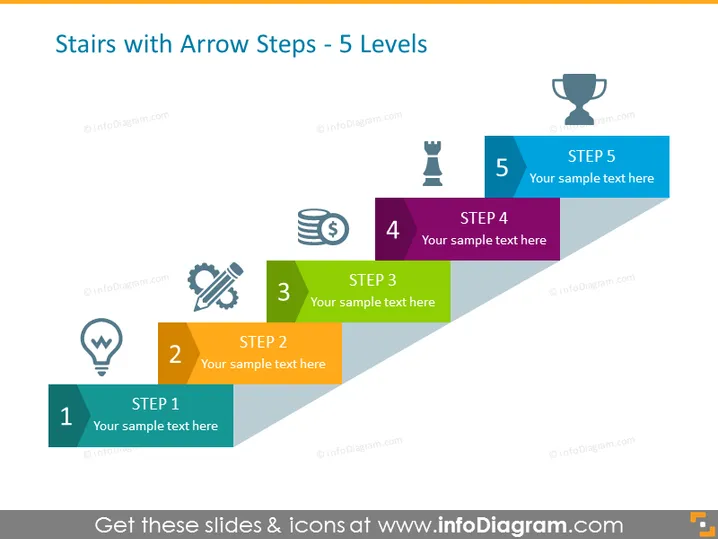
Stairs with Arrow Steps - 5 Levels
Slide Content
This PowerPoint slide visualizes a progression through five distinct levels, symbolized by steps in an ascending staircase. Each step is labeled from "STEP 1" to "STEP 5," with a place for corresponding sample text. The staircase metaphor suggests a progression or a sequence of events or milestones. The steps seem to indicate growth, improvement, or a process that involves multiple stages. Additionally, illustrative icons accompany each step, adding visual cues to each phase, potentially representing different aspects of a progression such as ideation, planning, investment, execution, and achievement of objectives.
Graphical Look
- The figures are arranged to resemble ascending stairs with the overlay of arrow shapes indicating upward movement.
- Each step is a different color, from light blue, yellow, green, purple, to dark blue, which – along with the ascending order – suggests a progression or hierarchy.
- An icon with a thematic association is placed on the left of each step.
- For instance, an idea lightbulb for the first step, gears for the third step, and a trophy for the last.
- The five steps are labeled numerically from 1 to 5, with a uniform "STEP" prefix and a placeholder for text below each number.
- All icons feature a white fill and a colored outline matching the corresponding step color.
- The arrows are designed to fit together, each overlapping a portion of the previous one, reinforcing the sense of progression.
The overall look of this PowerPoint slide is clean and modern, with a strong visual metaphor of progression through the use of stair steps combined with arrows. The use of bright, contrasting colors adds visual interest and aids in distinguishing between the different stages of the process.
Use Cases
- To outline a step-by-step strategy or process during a business presentation, making the sequence of actions clear.
- As a visual aid during project management meetings to describe the phases of project development.
It seems there's no image attached. Could you please provide the image you're referring to?
How to Edit
How to edit text & colors

How to expand / shorten diagram

How to Replace Icons in infoDiagram PPT


