Reviews
Your graphics add a nice touch to my presentations and I recently used them for one of my all-hands meetings. Your toolbox adds professionalism to my slides. Instead of using standard clipart.
I needed a fresh look at some of my slides. I've tried to find a way to create a paintbrush effect, to underline, accentuate, add some color and the handwritten markers were just the things. Very easy to use, easy to size, change the color. It was an affordable, perfect solution and I'm happy to recommend it.
The crisp, clean look of the graphics, and the fact that it allowed me to easily edit and change the colors to match the template was my main reason for purchasing them.
Description
5 Chapter Outlined Agenda Overview
Slide Content
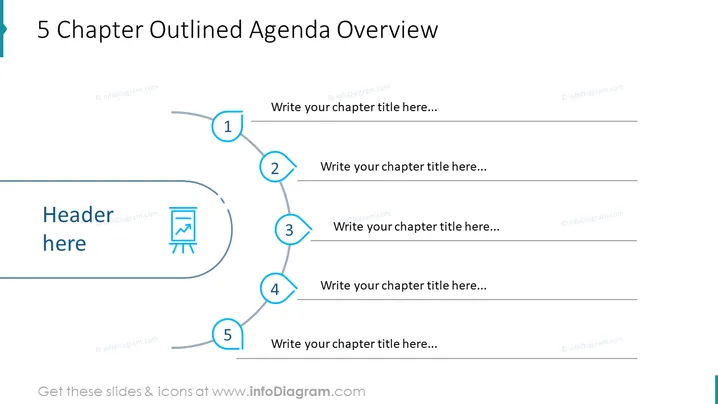
The slide titled "5 Chapter Outlined Agenda Overview" serves as a template for organizing presentation contents into a structured agenda. The layout includes placeholders for a main header and five chapter titles, suggesting a segmented approach to the presentation. Each chapter number, encased in a blue circle, is connected by a curved line that visually guides the viewer through the sequence of topics.
Graphical Look
- A bold title at the top in dark text.
- A large header section with a light blue background and dark text placeholder "Header here".
- A flow sequence illustrated with a curved grey line starting from the header section and branching out to circles labeled 1 to 5.
- Each circle is numbered and filled with a blue outline, connected to a grey straight line with a text placeholder.
- A small icon resembling a presentation easel or flipchart next to the header section, with a blue accent.
- The entire graphical layout uses a soothing blue and grey color scheme.
The slide has a professional and clean design with a harmonized color palette, creating an organized and easy-to-follow visual path for the agenda overview.
Use Cases
- Introducing the main sections of a business presentation to provide a roadmap for the audience.
- Outlining various topics during a workshop or training session to structure the learning process.
- Summarizing the agenda at the beginning of a seminar or conference.
- Planning project phases or milestones for internal team meetings to guide discussion on progress and next steps.
How to Edit
How to edit text & colors

How to expand / shorten diagram

How to Replace Icons in infoDiagram PPT


