Reviews
Sus gráficos añaden un toque agradable a mis presentaciones y recientemente los usé para una de mis reuniones generales. Su conjunto de herramientas añade profesionalismo a mis diapositivas. En lugar de usar imágenes prediseñadas estándar.
Necesitaba un aspecto fresco para algunas de mis diapositivas. Había intentado encontrar una forma de crear un efecto de pincel, de subrayar, acentuar, añadir algo de color y los marcadores escritos a mano fueron justo lo que necesitaba. Muy fácil de usar, fácil de ajustar el tamaño, cambiar el color. Fue una solución asequible y perfecta, y estoy feliz de recomendarla.
El aspecto nítido y limpio de los gráficos, y el hecho de que me permitiera editar y cambiar fácilmente los colores para que coincidieran con la plantilla fue mi principal razón para comprarlos.
Description
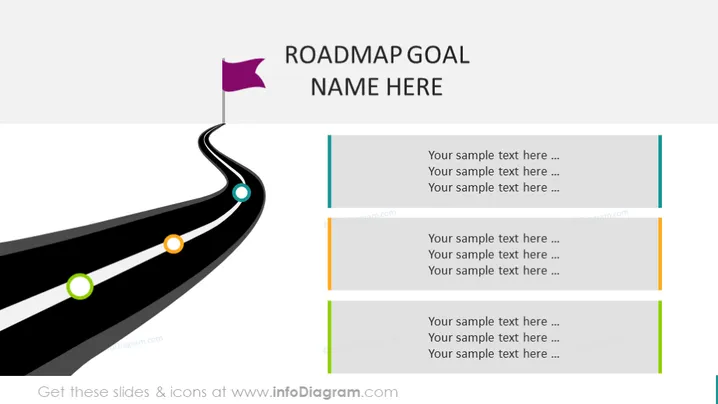
ROADMAP GOAL NAME HERE
Slide Content
The PowerPoint slide depicts a roadmap with milestones for setting and achieving a goal. A symbolic road with colorful markers indicates different stages or checkpoints. Each marker is associated with text boxes on the right side of the slide, which are intended for describing the objectives or tasks at each stage. The progression is visualized as a journey, helping to illustrate the concept of moving towards an endpoint or goal.
Graphical Look
- A dark, winding road graphic stretching from the bottom-left to the top-center of the slide.
- Three circular markers on the road, colored in green, orange, and blue.
- A purple flag graphic at the beginning of the road on the top-left corner.
- Four pairs of text boxes on the right side, each pair consists of a title box and a larger detail box.
- Thin colored lines to the left of the text boxes, corresponding to the colors of the markers on the road (blue, orange, green).
The slide features a clean and modern design, utilizing a minimal color palette to highlight key elements. The metaphor of a road as a timeline imparts a sense of journey and progression.
Use Cases
- Outlining a project timeline and key deliverables in a project management presentation.
- Presenting a strategic plan with milestones to stakeholders.
- Providing a visual summary of business goals and objectives during quarterly or annual reviews.
- Communicating phased implementation plans for new products or services.
How to Edit
How to edit text & colors

How to expand / shorten diagram

How to Replace Icons in infoDiagram PPT


