Reviews
Sus gráficos añaden un toque agradable a mis presentaciones y recientemente los usé para una de mis reuniones generales. Su conjunto de herramientas añade profesionalismo a mis diapositivas. En lugar de usar imágenes prediseñadas estándar.
Necesitaba un aspecto fresco para algunas de mis diapositivas. Había intentado encontrar una forma de crear un efecto de pincel, de subrayar, acentuar, añadir algo de color y los marcadores escritos a mano fueron justo lo que necesitaba. Muy fácil de usar, fácil de ajustar el tamaño, cambiar el color. Fue una solución asequible y perfecta, y estoy feliz de recomendarla.
El aspecto nítido y limpio de los gráficos, y el hecho de que me permitiera editar y cambiar fácilmente los colores para que coincidieran con la plantilla fue mi principal razón para comprarlos.
Description
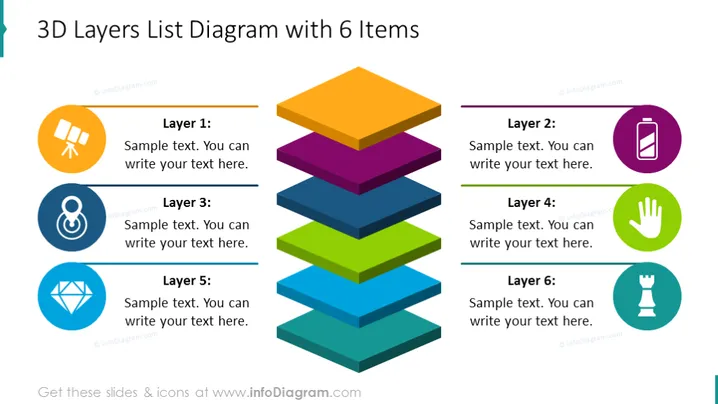
3D Layers List Diagram with 6 Items
Slide Content
The PowerPoint slide titled "3D Layers List Diagram with 6 Items" features a breakdown of a process or system into six distinct layers. Layer 1 seems to suggest planning or a foundational step, as indicated by a graphic of a telescope; this might represent vision or foresight. Layer 2 could relate to operational or technical details, symbolized by a battery icon which often signifies power or energy. Layer 3, paired with an infinity symbol, might speak to continuous processes or unlimited potential. Layer 4 has a hand icon, which could imply manual processes or hands-on work. Layer 5 uses a diamond shape to potentially denote quality or value. Finally, Layer 6 is represented by a chess piece, typically associated with strategy or decision-making.
Graphical Look
- The slide uses a clear, sans-serif font for crisp readability.
- A vibrant, distinct color palette delineates each layer with six colors—orange, purple, blue, green, teal, and light blue.
- Each layer is represented as a 3D stacked block, creating a visual depth effect.
- Icons associated with each layer are encircled and match the color of their corresponding layer.
- Horizontal lines separate the text areas for each layer, aiding visual organization.
- There is a use of both bold and regular font weights for emphasis and clarity.
The slide is visually dynamic, leveraging color and 3D shapes to create an engaging representation of hierarchical or sequential information.
Use Cases
- Explaining different stages or phases of a project, where each layer represents a distinct phase.
- Describing a layered approach to strategy, such as market entry or product development.
- Presenting organizational structure or hierarchy, with each layer corresponding to a level of management or operation.
- Illustrating components of a system or framework, with the layer metaphor emphasizing the building blocks of a concept.
How to Edit
How to edit text & colors

How to expand / shorten diagram

How to Replace Icons in infoDiagram PPT


