Reviews
Deine Folien sind meine 'geheime Zutat', wenn es darum geht, meine Ideen Kunden zu visualisieren. Ich spare so viel Zeit.
Ihre Folien führen oft zu guten Kommentaren und Ideen meines Teams, die die endgültigen Folien verbessern.
Description
Simple Chevron Diagram – Blue Split 3 Steps Arrow
Slide Content
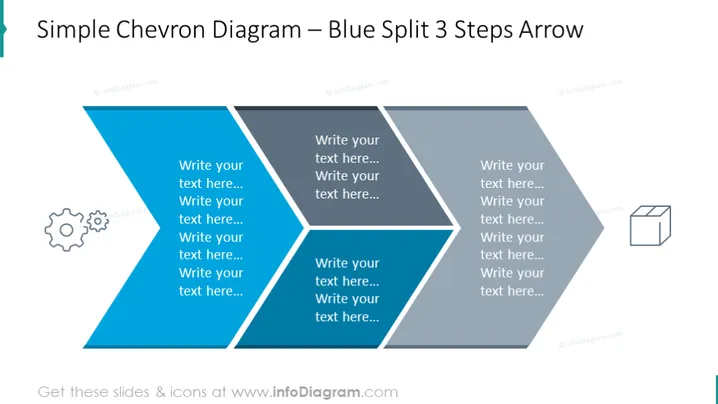
The slide titled "Simple Chevron Diagram – Blue Split 3 Steps Arrow" presents a process divided into three segments, each step depicted by an arrow-shaped block. The left segment has placeholder text and an accompanying gear icon, suggesting a starting point or setup phase. The middle block, also filled with placeholder text and no icon, could signify a transitional step or ongoing process. The rightmost section, similarly outlined for textual input and paired with a box icon, may denote the end result or conclusion of the process.
Graphical Look
- The slide features a large chevron arrow split into three distinct sections, colored in a gradient of blue shades.
- Each section of the chevron contains multiple lines of placeholder text, formatted in a white, sans-serif font for legibility against the blue background.
- The first and third sections are adorned with icons: a gear in the first, symbolizing settings or mechanics, and a box in the third, possibly indicating a final product or outcome.
- The overall design is clean and professional, utilizing a blue and white color scheme that provides a high contrast for readability.
- The slide's composition is symmetrical along the vertical axis, providing balance and directing the viewer's attention along the flow of the arrow. The slide's design is sleek and modern, with a color palette and visual elements that contribute to a clear representation of a step-by-step process or progression.
Use Cases
- Outlining sequential steps in a business plan or strategy during a presentation to stakeholders or team members.
- Visualizing phases in a project roadmap, with each arrow representing a distinct stage in project development.
- Illustrating a process flow in training materials for new employees or instructional content.
- Conveying progress steps in product development or service implementation to an audience during a conference or pitch meeting.
How to Edit
How to edit text & colors

How to expand / shorten diagram

How to Replace Icons in infoDiagram PPT


