Reviews
Your graphics add a nice touch to my presentations and I recently used them for one of my all-hands meetings. Your toolbox adds professionalism to my slides. Instead of using standard clipart.
I needed a fresh look at some of my slides. I've tried to find a way to create a paintbrush effect, to underline, accentuate, add some color and the handwritten markers were just the things. Very easy to use, easy to size, change the color. It was an affordable, perfect solution and I'm happy to recommend it.
The crisp, clean look of the graphics, and the fact that it allowed me to easily edit and change the colors to match the template was my main reason for purchasing them.
Description
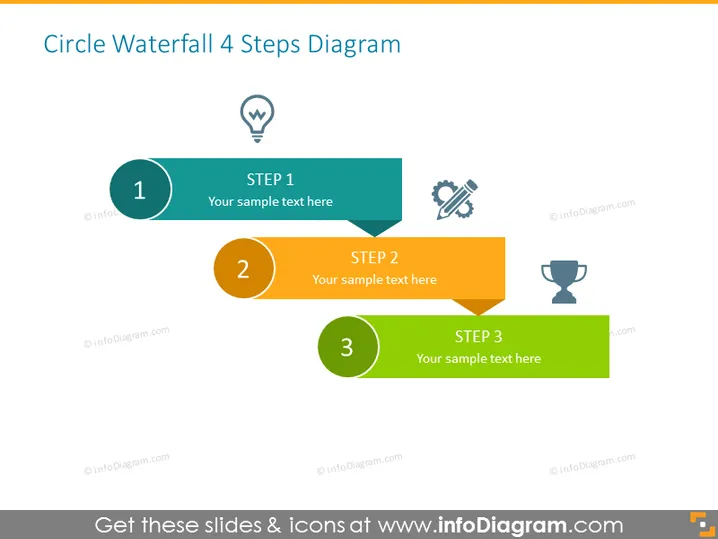
Circle Waterfall 4 Steps Diagram
Slide Content
The "Circle Waterfall 4 Steps Diagram" slide outlines a four-step sequential process with space for text description. Step 1 is associated with an idea or lightbulb, indicating a concept or initiation phase. Step 2 features a wrench and a screw, symbolizing a development or construction phase. Step 3 is paired with a trophy icon, suggesting a phase of achievement or goal realization. The fourth step is not shown, hinting that the process continues beyond what is presented.
Graphical Look
- The slide uses a flat design with simple geometric shapes and minimalist icons.
- Each step is indicated by a circular shape connected to a rectangular speech bubble-like shape for additional text.
- The colors progress from teal for Step 1, to yellow for Step 2, and to green for Step 3, suggesting a thematic or logical progression.
- Each circle contains a white number signifying the step's order within the process.
- Next to each number in the circle is a distinct icon corresponding to the step's theme.
- The background is plain white, which highlights the colorful step elements.
The slide exhibits a clean and modern visual style with clear delineation between the steps. The use of colors helps to differentiate and visually organize the information presented.
Use Cases
- Presenting a business project's lifecycle from conception to execution and success.
- Illustrating a step-by-step guide for a workflow or process in a training presentation.
- Outlining the phases of product development in a marketing or sales pitch.
- Demonstrating sequential milestones in a project timeline during a status update meeting.
How to Edit
How to edit text & colors

How to expand / shorten diagram

How to Replace Icons in infoDiagram PPT


