

Your graphics add a nice touch to my presentations and I recently used them for one of my all-hands meetings. Your toolbox adds professionalism to my slides. Instead of using standard clipart.
Claude Jones, Director of Engineer, @Walmartlabs, USA

Your graphics add a nice touch to my presentations and I recently used them for one of my all-hands meetings. Your toolbox adds professionalism to my slides. Instead of using standard clipart.
Claude Jones, Director of Engineer, @Walmartlabs, USA
I needed a fresh look at some of my slides. I've tried to find a way to create a paintbrush effect, to underline, accentuate, add some color and the handwritten markers were just the things. Very easy to use, easy to size, change the color. It was an affordable, perfect solution and I'm happy to recommend it.
Anonymous, US
The crisp, clean look of the graphics, and the fact that it allowed me to easily edit and change the colors to match the template was my main reason for purchasing them.
Brandie Jenkins, E-learning Developer, USA
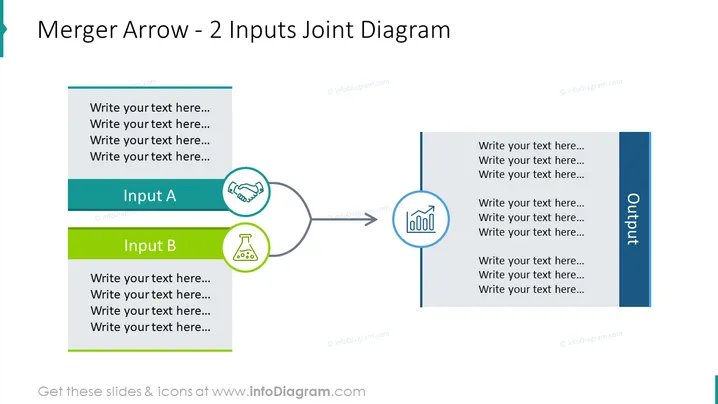
This PowerPoint slide is titled "Merger Arrow - 2 Inputs Joint Diagram" and illustrates a process where two distinct inputs, labeled "Input A" and "Input B," converge into a single output through a merging arrow. Each input section contains placeholder text suggesting that specific descriptions or details can be inserted there. The output side also has placeholder text for additional information. "Input A" and "Input B" are meant to represent different components, stages, or aspects coming together seamlessly, possibly implying integration or combination.
The slide has a balanced layout with harmonious colors and simple yet meaningful icons facilitating easy comprehension of the concept of merging inputs.
The PowerPoint slide titled "Merger Arrow - 2 Inputs Joint Diagram" visualizes a process of convergence where two inputs, A and B, merge to produce an output. Input A is linked to collaboration as indicated by a handshake icon, perhaps signifying partnerships or teamwork. Input B, accompanied by a beaker icon, could represent experimentation or research, hinting at data-driven or innovative contributions. This setup is commonly used in contexts such as business integrations, project management, or systems engineering to explain how separate elements contribute to a unified result.
The slide leverages a clean and professional design with a logical flow that's visually represented by directional elements such as the arrow. The contrasting colors and simple icons help differentiate between inputs and outputs and provide visual cues to the viewer.



