
Reviews
Your slides are my 'secret sauce' when it comes to visualising my ideas to clients. I'm saving so much time.
InfoDiagram has been a wonderful resource since I found the product site a few years ago.
Your slides often generate good comments and ideas from my team that improve the final slides.
Description
Yearly Projects Plan Table Outline Template
Slide Content
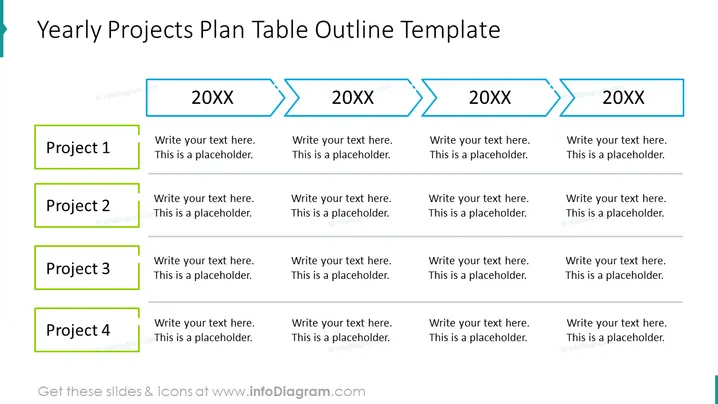
The slide titled "Yearly Projects Plan Table Outline Template" presents a structured plan for multiple projects across different years. It contains placeholders for project names on the left, labeled 'Project 1' through 'Project 4', each with a corresponding text placeholder next to it. These project labels extend across four columns labeled with '20XX', indicating different years or time periods for project planning.
Graphical Look
- The slide has a clean, organized layout with a white background.
- The title of the slide is displayed at the top in bold, dark text.
- Four arrow-shaped elements with a border lie horizontally across the top of the slide, indicating progression. Each arrow contains the placeholder text '20XX'.
- A vertical list of four labeled green text boxes is aligned to the left, representing different projects.
- To the right of each project label, there are corresponding horizontal placeholders to input project details, with light horizontal dividers between the rows.
- The shapes, colors, and layout are chosen to provide a visually appealing and easy-to-understand breakdown of the plan. The overall look is professional and efficient, designed to clearly outline project timelines and goals. The use of colored text boxes and arrows creates a visual distinction between projects and years.
Use Cases
- Outlining an organization's strategic multi-year project plan.
- Tracking the development and progress of various projects over multiple fiscal years.
- Presenting annual goals and milestones for projects in a clear, visually engaging manner during business meetings.
- Use in project management and team meetings to allocate resources and assign tasks across different periods.
How to Edit
How to edit text & colors

How to expand / shorten diagram

How to Replace Icons in infoDiagram PPT


